[Route Setup] Add Inland Transportation
Automatically translated from Korean.
What you can do
You can include both transportation to the port or airport (pickup) and transportation from the destination to a warehouse or factory (delivery) in the same request.
Pickup and delivery can be turned on and off separately. You can turn on both or just one.
Enter an address to immediately see the distance to the port or airport and the estimated time.
How to use
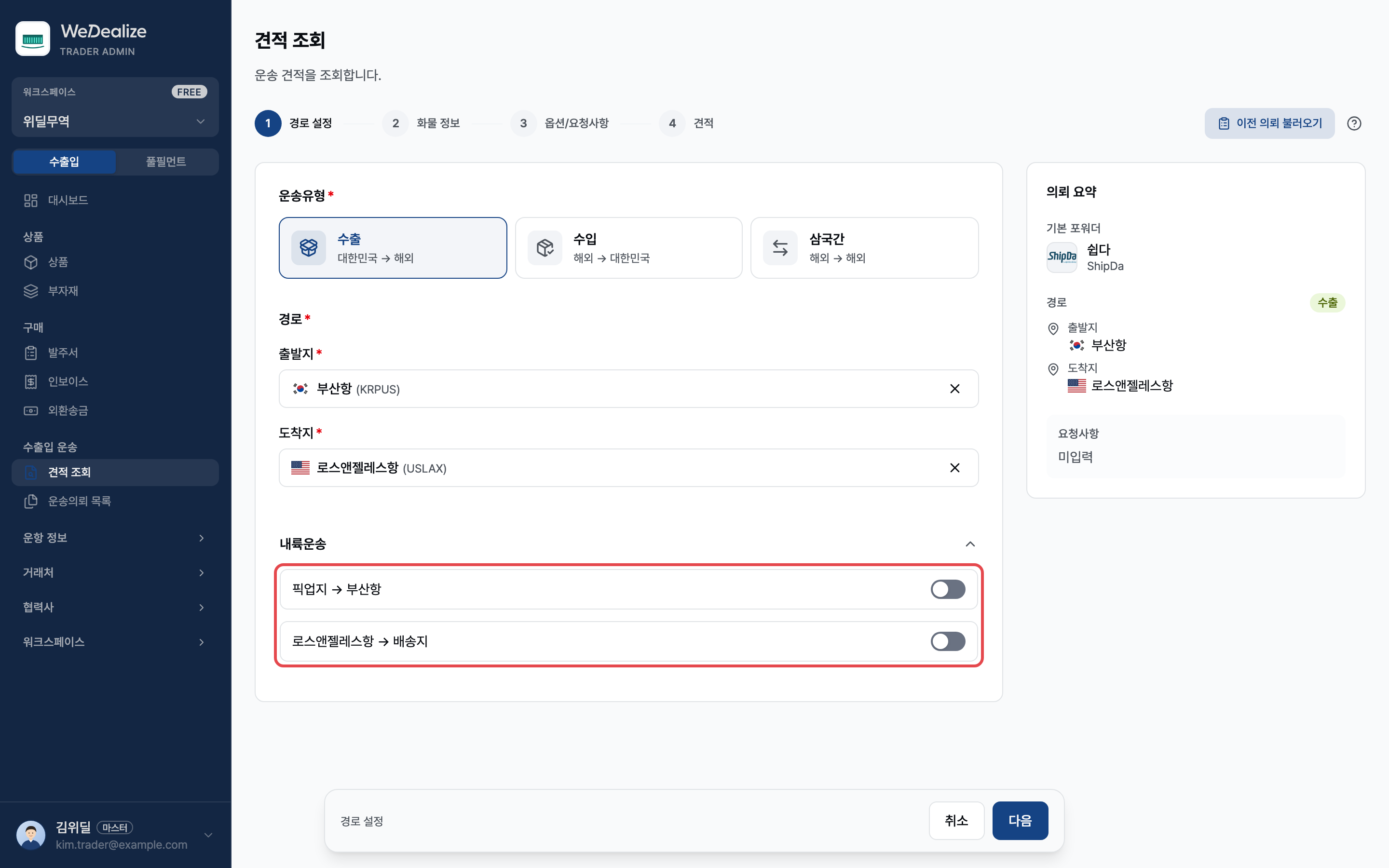
Select the origin and destination to open “Inland Transportation” below. If pickup is needed, turn on “Pickup Location → Origin”; if delivery is needed, turn on “Destination → Delivery Location.”
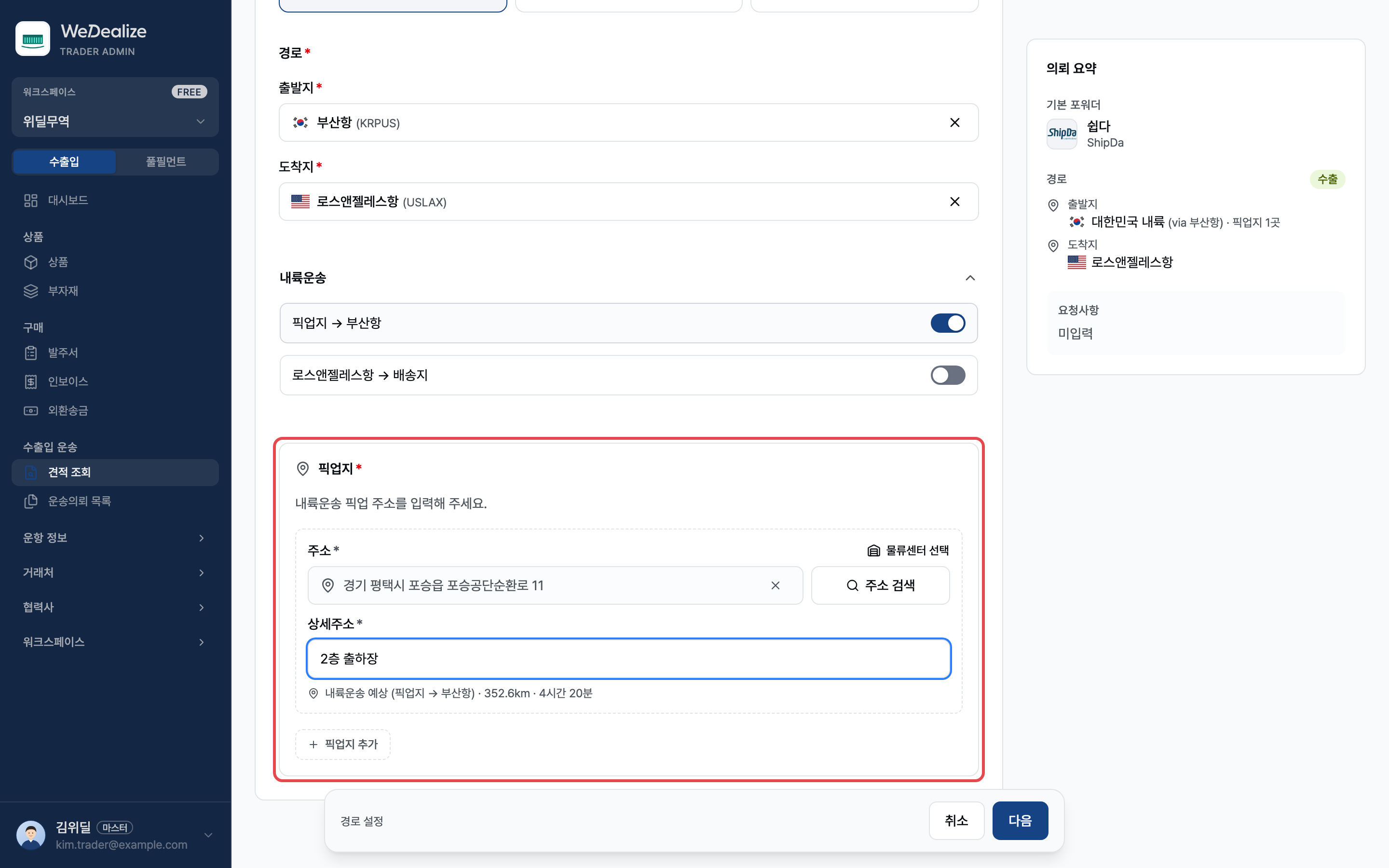
For addresses in South Korea, click “Search Address” to find one. After selecting an address, enter the “Detailed Address” (floor, unit number, etc.). Below the address, the distance and time are shown, such as “Estimated Inland Transportation (Pickup Location → Busan Port) · 352.6km · 4 hours 20 minutes.”
For overseas addresses, enter them directly in the field. The country is pre-filled with the destination country.
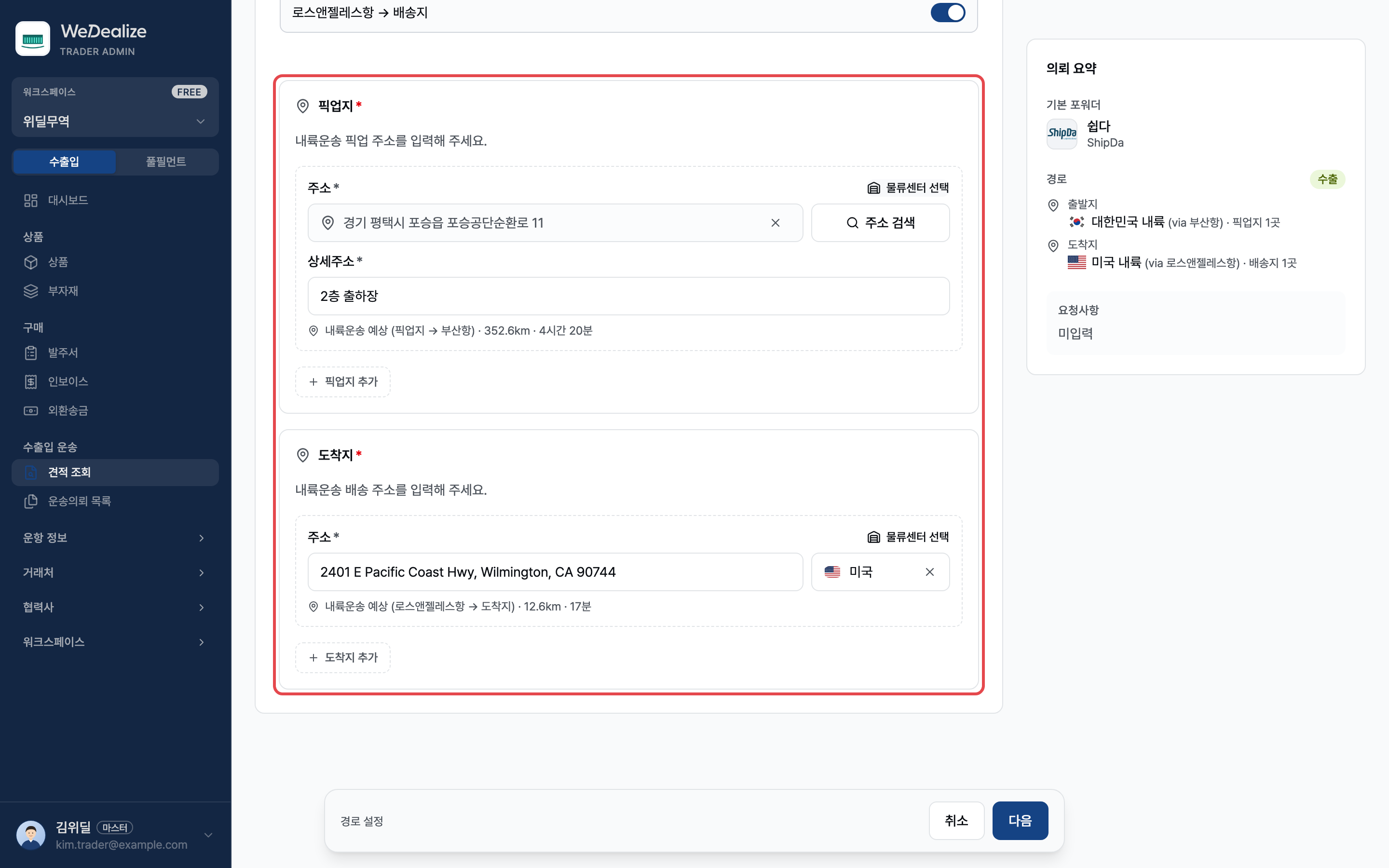
Click “Next.” In the request summary, it is displayed as “South Korea Inland (via Busan Port) · 1 Pickup Location,” for example.
Frequently Asked Questions
What happens if I turn on inland transportation but do not enter an address?
You cannot proceed to the next step. “Please enter the pickup location address.” is displayed. For addresses in South Korea, you must enter the detailed address as well; if it is left blank, “Please enter the detailed pickup location address.” is displayed.
Will the freight charge be available immediately if I add inland transportation?
If the default forwarder has registered inland freight rates for the area, they will appear immediately in the “Quote” step together with the ocean or air freight rates. If no rates are registered, the system does not show a partial calculation; instead, it switches to a manual quote with the message “There are no freight rates available for an instant quote.” Click “Request a Quote,” and the forwarder will send a quote including inland transportation.
I have multiple pickup and delivery locations.
You can add more addresses using “Add Pickup Location” and “Add Delivery Location.” See the post “[Route Setup] Entering Multiple Pickup and Delivery Locations.”
I am shipping from or receiving at a logistics center.
You can select one using “Select Logistics Center” in the upper-right corner of the address field. See the post “[Route Setup] Selecting a Logistics Center as an Address.”