For this purchase, which payment was this remittance for?
You read the bank transfer history and re-type it into a spreadsheet.
Send at bank-level costs,
and every remittance is recorded automatically for each purchase.
Leave your details and we will email you the brochure. You can also request a consultation.
You read the bank transfer history and re-type it into a spreadsheet.
You look up each deposit and balance remittance and match it to the spreadsheet.
You look up the rate and fee for each remittance and copy them into a cost sheet.
Remittances run separately at the bank, with no reference tying them to purchases and invoices.
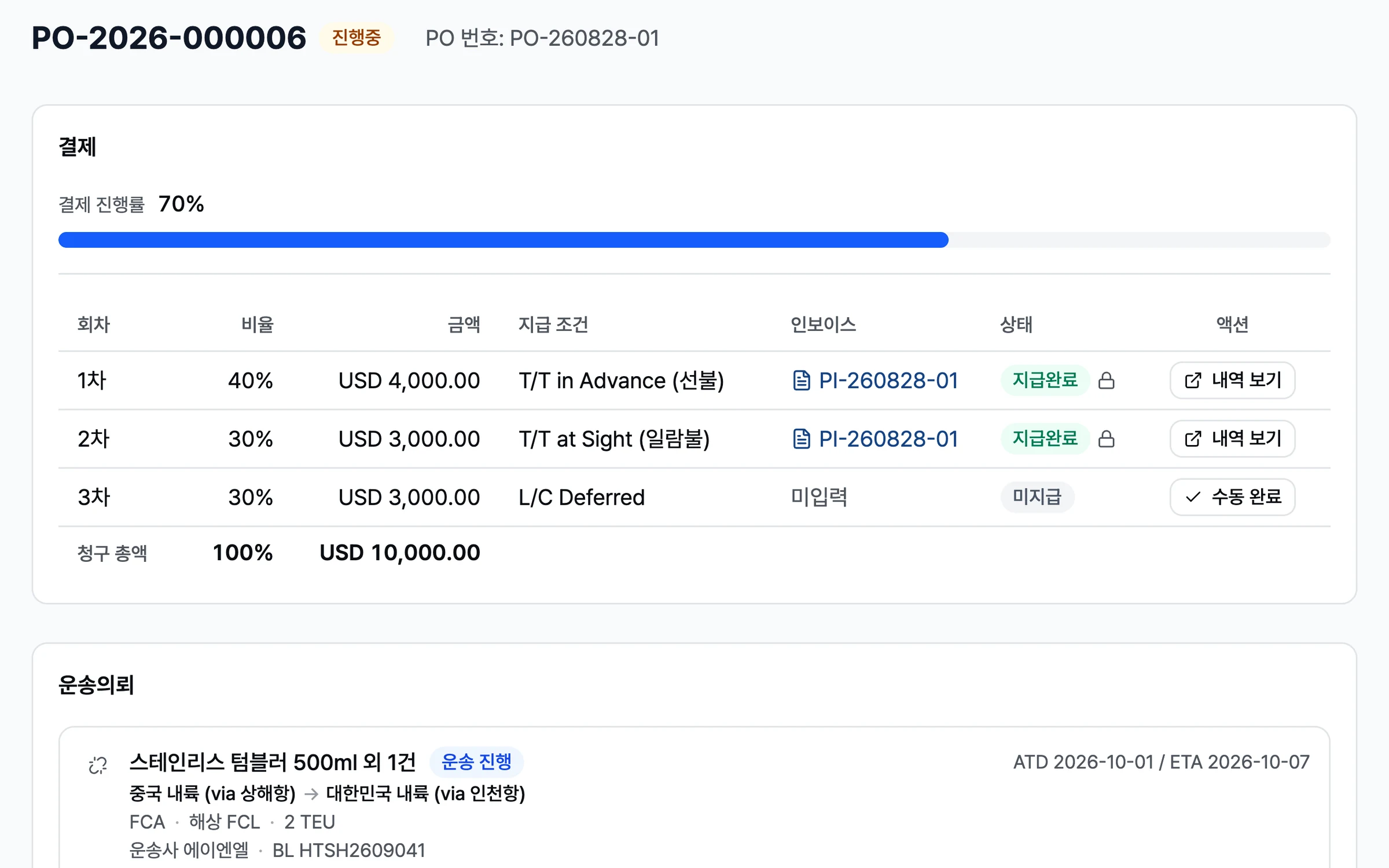
Each remittance is recorded with its order, payment type and KRW amount, so there is no spreadsheet to update.
Payment Records
The remittance is recorded against that payment, without entering a purpose or payment type separately.
Available for payments made by remittance (T/T).
Send to the same supplier again without re-entering account details each time.
Payment Status
See the current remittance stage on screen, without separate inquiries to the supplier.
See how much has been paid on each order without editing a spreadsheet.
Cost Allocation
See the KRW amount to be debited when you request, without checking bank statements afterwards.
See your actual cost without looking up each rate and copying it into a cost sheet.
Remittance partners
Send to most countries and currencies.
Pay suppliers in China in yuan.
More you can do
If local transfer is available in the supplier’s country, you can choose a lower-cost local transfer instead of SWIFT.
If the supplier must receive the full invoice amount, you can choose to have the sender pay the remittance fee.
If you need to send on a weekend or public holiday, the amount is fixed at the rate when you request.
If you need proof for accounting or tax, you can obtain a remittance confirmation from the remittance partner once it is complete.
Customer stories
“Had we managed it in spreadsheets, we could never have handled 100 overseas brands”
Within two years we came to trade with 100 overseas brands. Even with different payment terms for each brand, remittance records stay on each order, so payments never slipped. We link import shipments to orders too, and see each brand’s arrival schedule and payment progress on a single order.
“Remittances scattered across clients now sit in one place”
Handling trade for many clients, it was hard to match in spreadsheets which remittance belonged to which client and which payment. Now each remittance is recorded against its order payment, and we see its progress through to payment on screen. When a client asks how a remittance is going, we can answer on the spot.
Connected services
Trade AI
Just name the supplier and the payment, and Trade AI checks the order amount and rate and requests the remittance. Requests that change data are applied after confirmation.
It is currently available to businesses in South Korea, after a one-time team application and review.
Register each purchase as an order with its PO number, parties, products and payment terms, then register the supplier invoice on the payment you want to send — and you can send it right away.
WeDealize remittances go through Utransfer, a remittance partner with a foreign-exchange license. Depending on the supplier’s country, you can choose SWIFT or local transfer; for SWIFT, the remittance confirmation includes the MT103 message.
T/T payments with an attached invoice document. Payments made by other methods can be marked complete to keep the record.
You can send to any receiving country and currency our remittance partners support, including major currencies such as USD, EUR and JPY. See the remittance partner section above for each partner's countries, transfer methods and major currencies.
Yes. Invite teammates to your workspace and they see the same remittance records.
Get the brochure or request a consultation.

