For this shipment, is everything before departure handled?
To keep a late quote or schedule check from holding up shipping, you recheck the forwarder's emails.
From next steps to cargo location and shipping documents,
every shipment updates automatically.
Leave your details and we will email you the brochure. You can also request a consultation.
To keep a late quote or schedule check from holding up shipping, you recheck the forwarder's emails.
To meet receiving and sales dates, you call the forwarder about cargo location and arrival delays.
To keep missing documents from delaying shipping or customs, you check documents exchanged by email one by one.
Next steps, cargo location and shipping documents can only be checked through forwarder emails and calls.
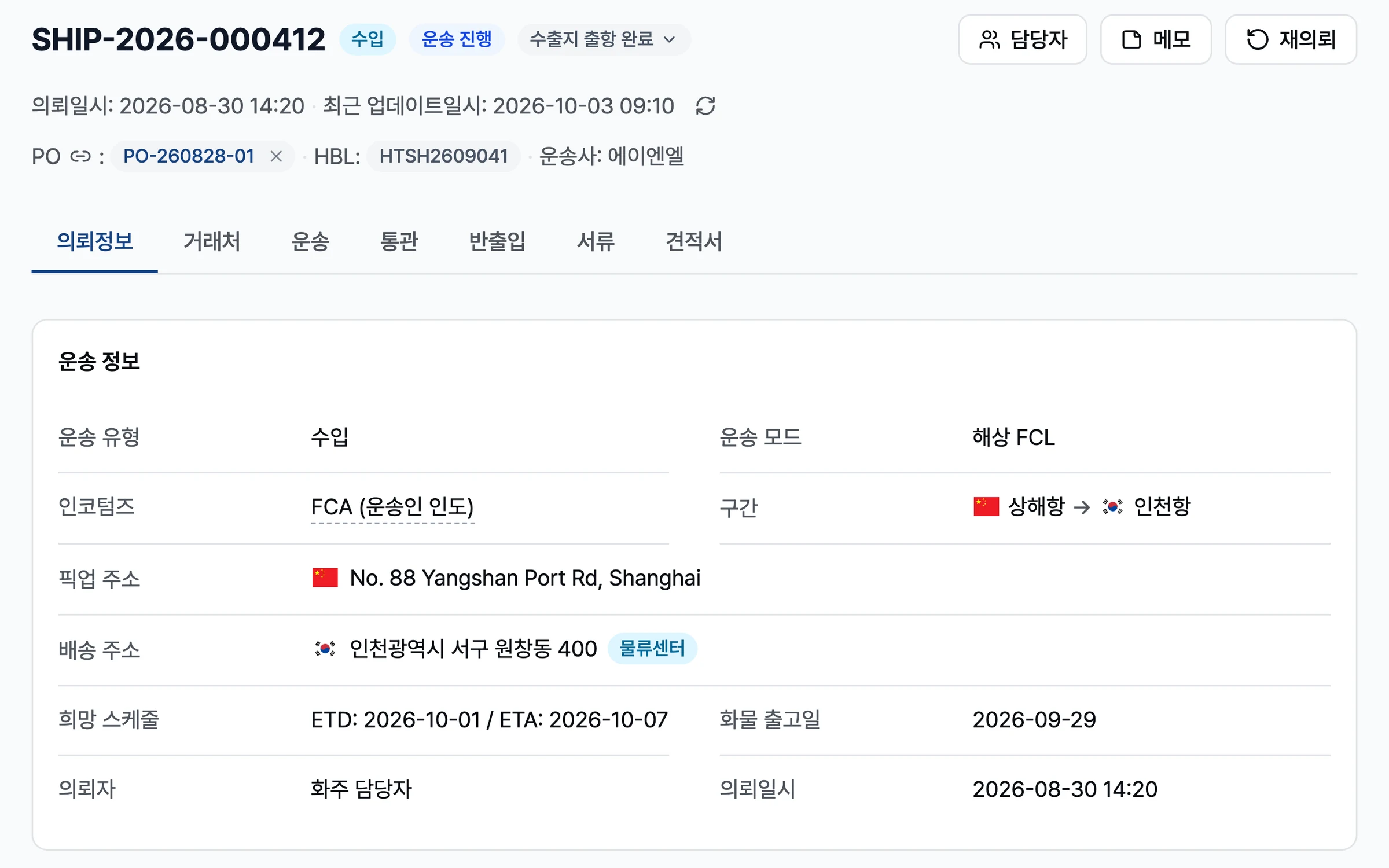
Next steps, cargo location and shipping documents come together for each shipment, so you know where things stand before and after departure.
Items to handle appear at the top of the shipment screen, without rechecking email.
Cargo location and ETA are updated, without separate inquiries.
Required document status is shown for each shipment, without matching emails.
Action Items
Even with many shipments, see the action each one needs without missing any.
From pickup to delivery, see at a glance which stage the cargo is in now.
Shipment Tracking
Know when it arrives without separate inquiries, and get the next steps ready ahead of time.
Share the same shipment status with buyers, customers and partners, without sending separate updates.
Shipping Documents
Spot missing documents early and cut shipping and customs delays caused by paperwork.
Download documents issued by forwarders and other affiliates whenever you need them, without searching email.
More you can do
Even when your counterparty arranges shipping and there is no leg to book, register the tracking number for sea freight and manage progress the same way.
To manage shipments with orders, link imports to purchase orders and see the same progress. Linking sales orders is coming soon.
Learn moreIf you ship the same route and cargo again, bring back a previous request and book it on the same terms.
If you already work with a forwarder, they can join WeDealize as an affiliate and invite you, so you can book with them and manage shipments on the same screen.
Customer stories
“Even 20+ import shipments a month fit on one screen”
We bring in food from more than 20 countries, running over 20 import shipments a month. Progress we used to check by forwarder email and phone for each shipment now sits on one screen. We see items to handle and cargo location together, and prepare receiving around arrival dates.
“With one status link, buyers no longer have to ask”
We export paper to buyers in Europe and the US. As congestion made late arrivals more common, buyer inquiries rose sharply. Now we handle each shipment's items on one screen, and buyers check the ETA themselves through the status link, so delay inquiries have dropped noticeably.
Connected services
Trade AI
From attaching documents to linking orders, handle it in chat. Requests that change data are applied after confirmation.
Ocean (FCL, LCL) and air shipments booked through WeDealize, plus inland pickup and delivery. When your counterparty arranges shipping under the Incoterms — import DAP/DDP, or export and cross-trade EXW — you can still manage sea freight progress by tracking number.
No. Once registered, your business registration is filled in automatically as a required document for later shipments. Only documents that change with each shipment, such as the commercial invoice and packing list, are attached per shipment.
After you accept the quote — or right after registering a shipment by tracking number. Anyone with the link can view it without logging in, and the link remains valid for 30 days from creation.
Air shipments show their steps and schedule on the shipment screen. Map positions start with sea freight.
Cargo location and ETA for sea freight update automatically three times a day. In between, refresh the shipment screen to update it to the latest data right away.
Get the brochure or request a consultation.