For this shipment, which carrier arrives first?
You visit each carrier site and search the same route separately.
Compare departure, arrival and transit days side by side,
without visiting each carrier site.
Leave your details and we will email you the brochure. You can also request a consultation.
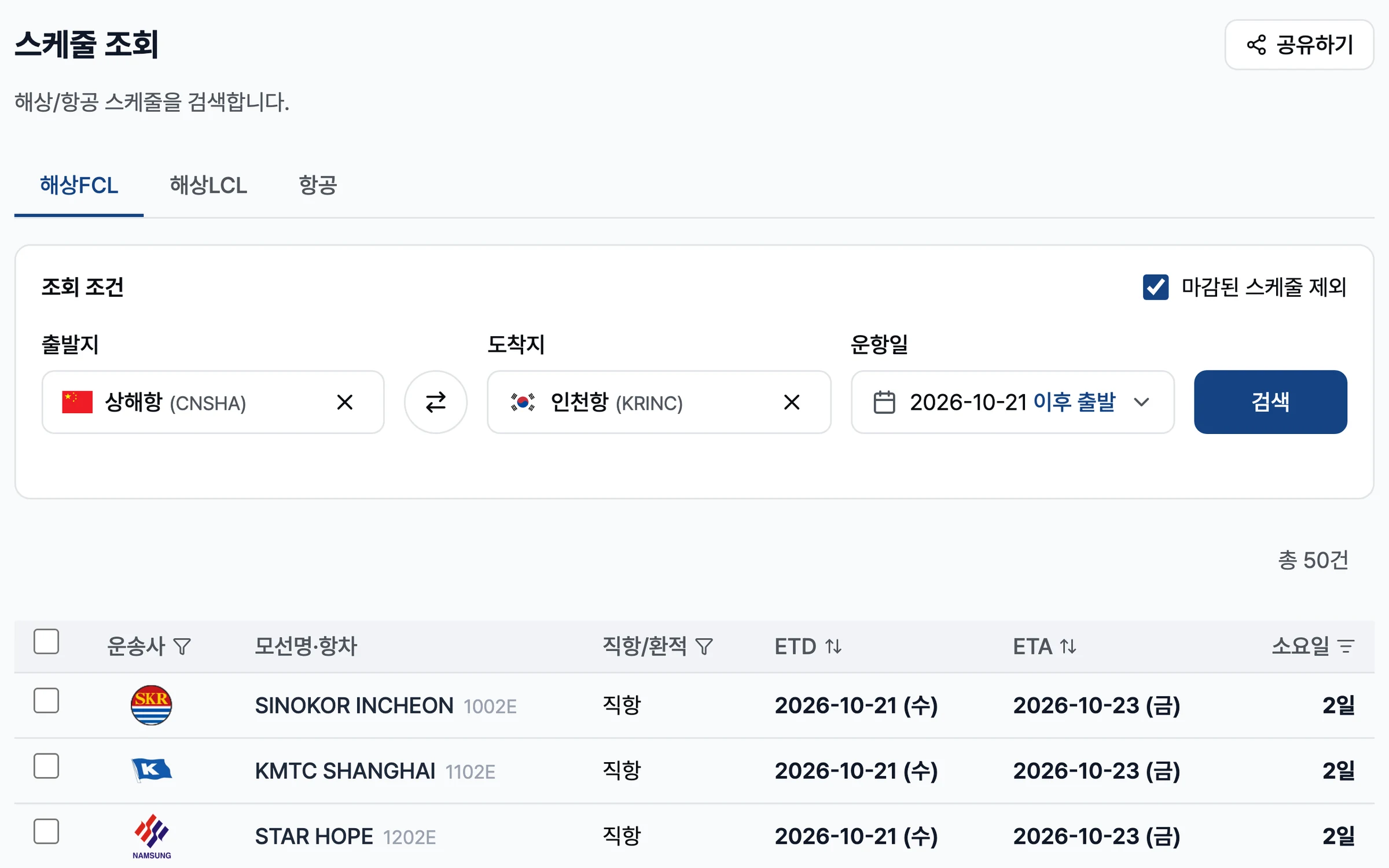
You visit each carrier site and search the same route separately.
You open each carrier’s results and pick out the schedules that fit.
You switch between carrier sites, checking departure, arrival and transit days against each other.
Schedules are scattered across carriers, so searching, picking and comparing all have to be done by hand.
Enter the route and date to gather schedules by carrier, then compare the schedules you pick by conditions side by side.
Enter the route and date, and schedules by carrier come up at once.
Pick only the schedules that fit your carrier, direct-sailing and transit-day conditions.
Compare departure, arrival and transit days of the schedules you chose in one table.
Schedule Search
Match your cargo-ready date or deadline and see schedules by carrier at once.
Switch the transport mode and check ocean and air schedules the same way, without separate shipping-line and airline sites.
Result Filters
See only the schedules you need, without excluding unsuitable ones one by one.
See the earliest departing or arriving schedules first, by your priority.
Schedule Comparison
Check departure, arrival and transit days side by side, without switching between carrier sites.
Once you find the right schedule, start a shipment request on it without searching again.
More you can do
If colleagues or partners need to see the schedules you found, share a link. They can open it without logging in.
If you need document and cargo cut-offs, schedules with cut-off information show the cut-off times too.
If origin and destination are in different time zones, see departure and arrival times in each port’s or airport’s local time together with Korea time.
For a transshipment schedule, see the stops and the vessel or flight you switch to.
Customer stories
“We find schedules that fit our site timeline in a single search”
Building materials we import from overseas have to arrive in step with the construction timeline, so the arrival date matters most when we choose a schedule. We used to open shipping line sites one by one to match arrival dates. Now we search by arrival date, compare schedules by carrier at once, and request the right one right away.
“We pick only direct schedules and cut the burden of transshipment”
Flat glass is heavy and breaks easily, so we prefer direct schedules with less transshipment when exporting. We used to open each shipping line’s schedules and check direct sailing and transit days one by one. Now we pick schedules by direct-sailing and transit-day conditions, compare the rest side by side, and set our export plan.
Connected services
Trade AI
Handle everything from schedule search and rate checks to preparing a shipment request in chat. Requests that change data are applied after confirmation.
You can search ocean schedules (FCL, LCL) from major shipping lines and consolidators, as well as airline schedules. Switch the transport mode to check them on the same screen, in the same way.
Carrier schedule information is collected and updated three times a day. Where cut-off information is available, the cut-off date and time are shown with the schedule.
Yes. Schedules for which the carrier provides no cut-off are marked “Cut-off TBD”, and availability is rechecked at booking. Schedules past their cut-off cannot be requested.
Schedule search is available after logging in. Without logging in, you can only view the route schedules shared with you by link.
A shared link can be viewed for 30 days from the date it is issued. Sharing again issues a new link, and the previous link remains valid until it expires.
Get the brochure or request a consultation.


