For this inbound, has everything arrived?
You call the fulfillment center to ask whether the goods arrived.
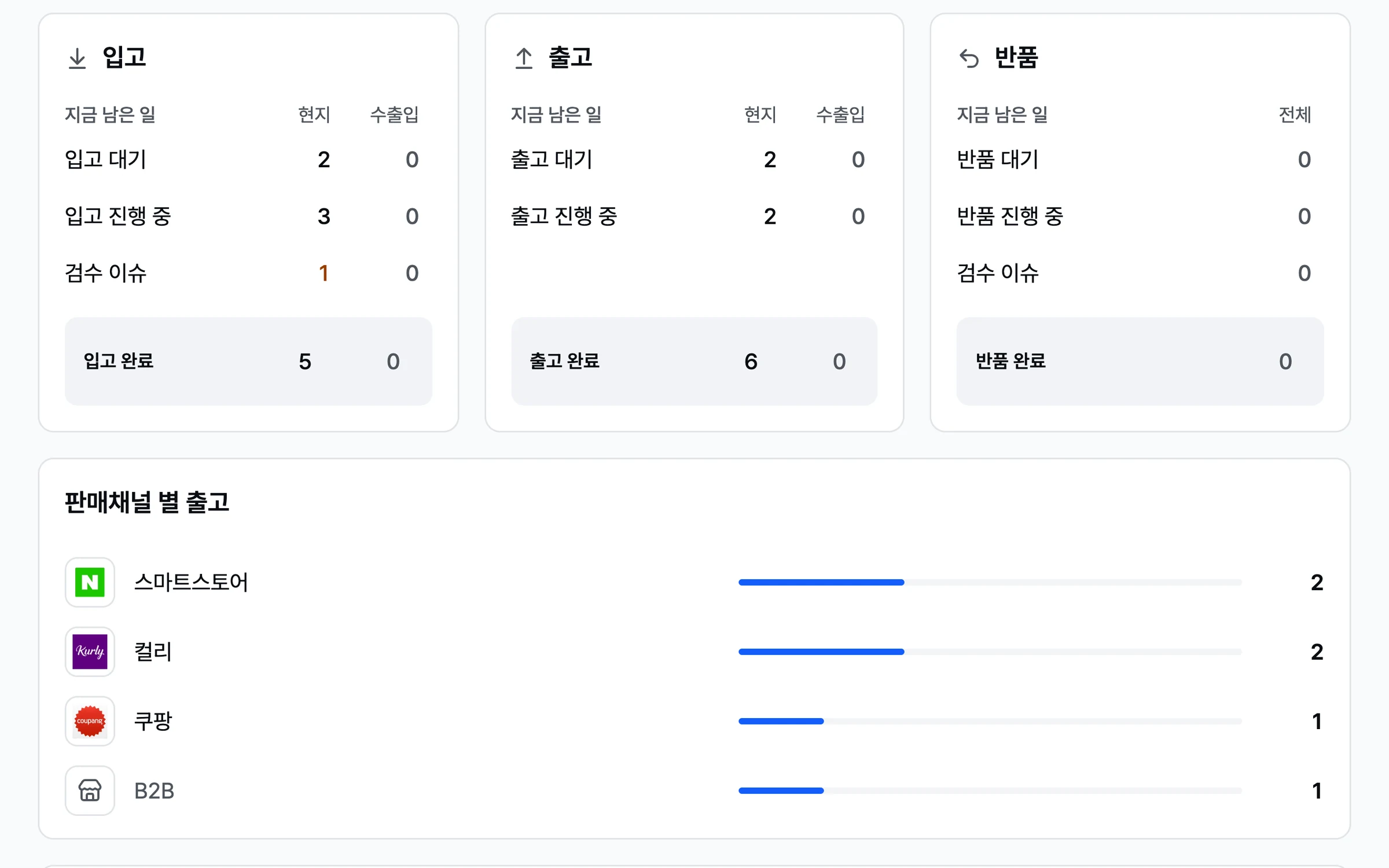
Fulfillment center inbound, outbound and returns are recorded in one place,
so you can see what you can ship now without Excel.
Leave your details and we will email you the brochure. You can also request a consultation.
You call the fulfillment center to ask whether the goods arrived.
Your Excel and the quantity the fulfillment center gives differ, so you reconcile again.
You collect orders and pass them to the fulfillment center by email and Excel.
Inbound, stock and outbound records sit separately at the fulfillment center and on your store, so you cannot reconcile them in one place.
Fulfillment center inbound, outbound and returns are recorded in one place, so there is no separate reconciling of available stock.
Without separate inquiries to the fulfillment center, see whether goods arrived and how many.
No Excel reconciling — see the available stock you can ship now.
Request outbound without emails, and returns are restocked after inspection.
Inbound
See whether goods arrived and how many, without separate inquiries to the fulfillment center.
Once customs clearance of the import cargo is complete, the expected date of the linked inbound is set automatically.
Stock
See available stock by country, without reconciling it against Excel.
Spot products whose available stock falls below safety stock, and prepare inbound in advance.
Outbound
The fulfillment center packs and ships, without you collecting orders in Excel and emailing them.
See the quantity you can sell again, without reconciling return counts with the fulfillment center.
More you can do
If you ship Wadiz, Tumblbug or Makuake rewards, upload the shipping list as a spreadsheet to register outbound in one go.
If products need temperature control, select and connect a room-temperature, chilled or frozen center.
If returns from one outbound come back in parts, request a return for each pickup.
If products have expiry dates, see the time left by lot date.
Recommended for
Connected services
Trade AI
Handle everything from outbound requests and recipient changes to inbound requests in chat. Requests that change data are applied after confirmation.
Each time stock moves, what the fulfillment center sends is recorded in WeDealize. WeDealize does not change the quantities the center reports.
Yes. If your provider joins WeDealize as an affiliate, you can keep them running your operations.
Yes. Within the center's country by parcel, freight parcel, truck or pickup; to other countries by air, ocean or road express, or truck.
You can edit or cancel it until the fulfillment center starts work. Canceling after work starts may incur a handling fee.
For parcel outbound, request the return on that outbound screen. The fulfillment center inspects returned goods and restocks them as sellable or defective.
Get the brochure or request a consultation.