[Cargo Information] Entering Sea FCL Cargo
Automatically translated from Korean.
What you can do
You can enter the container type, size, number of containers, and weight for sea FCL cargo using an entire container.
You can select a registered product to enter the product name and HS code. For a product being shipped for the first time, you can enter just the name.
You can also indicate whether the cargo will be loaded into or unloaded from the container at the port (stuffing/unstuffing), as well as whether it is refrigerated, frozen, or hazardous.
Procedure
In Step 2, “Cargo Information,” select “Sea FCL” as the mode of transport. If the origin and destination are ports, you can choose between FCL and LCL.
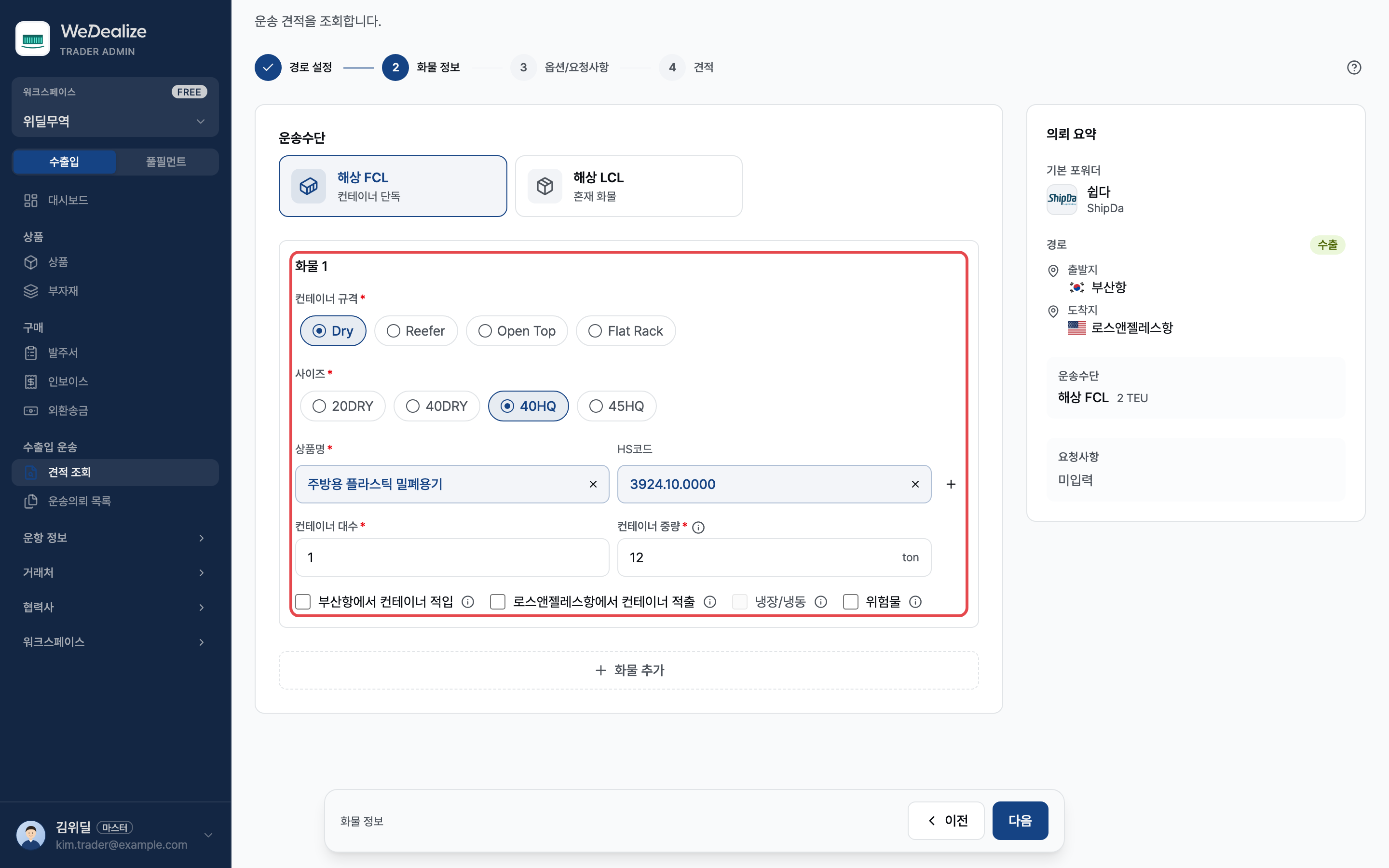
Select the “Container Type” (Dry, Reefer, Open Top, or Flat Rack) and “Size.” The available sizes vary by type. For example, Dry includes 20DRY, 40DRY, 40HQ, and 45HQ, while Reefer includes 20RF and 40RF.
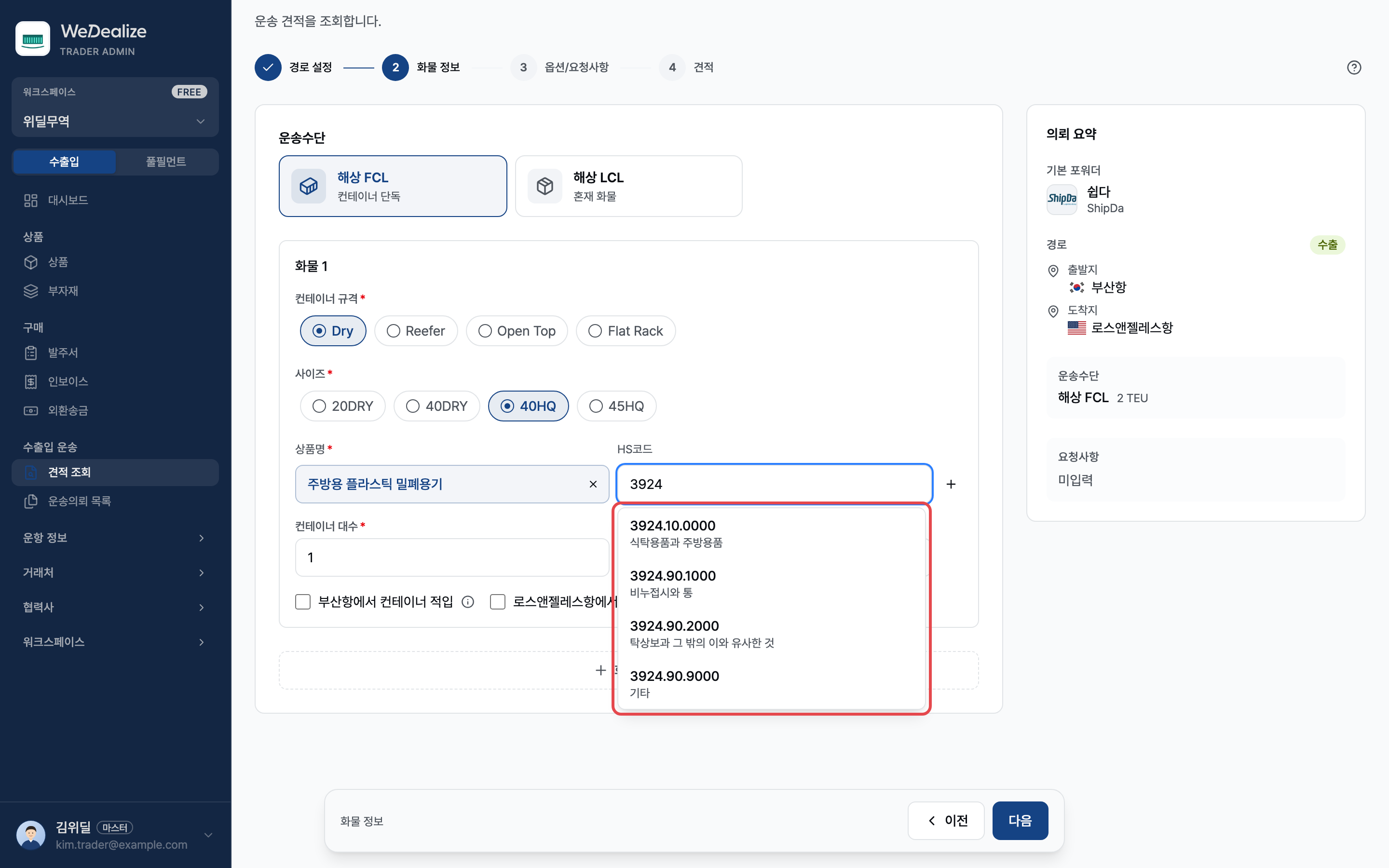
Enter the product name under “Product Name” and select a registered product from the list. If it is not on the list, click “Enter manually: "…".” The product will be newly registered under this name when you create the request.
Enter numbers in the “HS Code” field and select one from the list. The HS code field becomes available only after you enter a product name, and you must select an HS code from the list.
Enter the “Number of Containers” and “Container Weight” (per container, in tons).
Click “Next.” The cargo volume appears in the transport mode in the request summary, such as “Sea FCL 2 TEU.”
Frequently asked questions
There are several products in one container
Click the “+” to the right of the HS code field to add another product row to the same container. Enter the product name and HS code for each row. If the containers themselves are different, divide the cargo using “Add Cargo” below (see the “[Cargo Information] Entering Multiple Cargo Shipments” article).
Do I have to enter the container weight for imports?
No, you do not have to enter it for imports. It is required for exports and triangular trade. The weight is based on one container. If the weight differs by container, divide the cargo and enter it separately. If the entered weight differs from the actual weight, the final quote may change.
A message says, “The maximum load capacity has been exceeded.”
This notification means that the entered weight exceeds the standard maximum load capacity of the container. The actual limit varies by shipping line, so you can proceed to the next step even if the notification appears.
I need to load cargo into or unload it from a container at the port
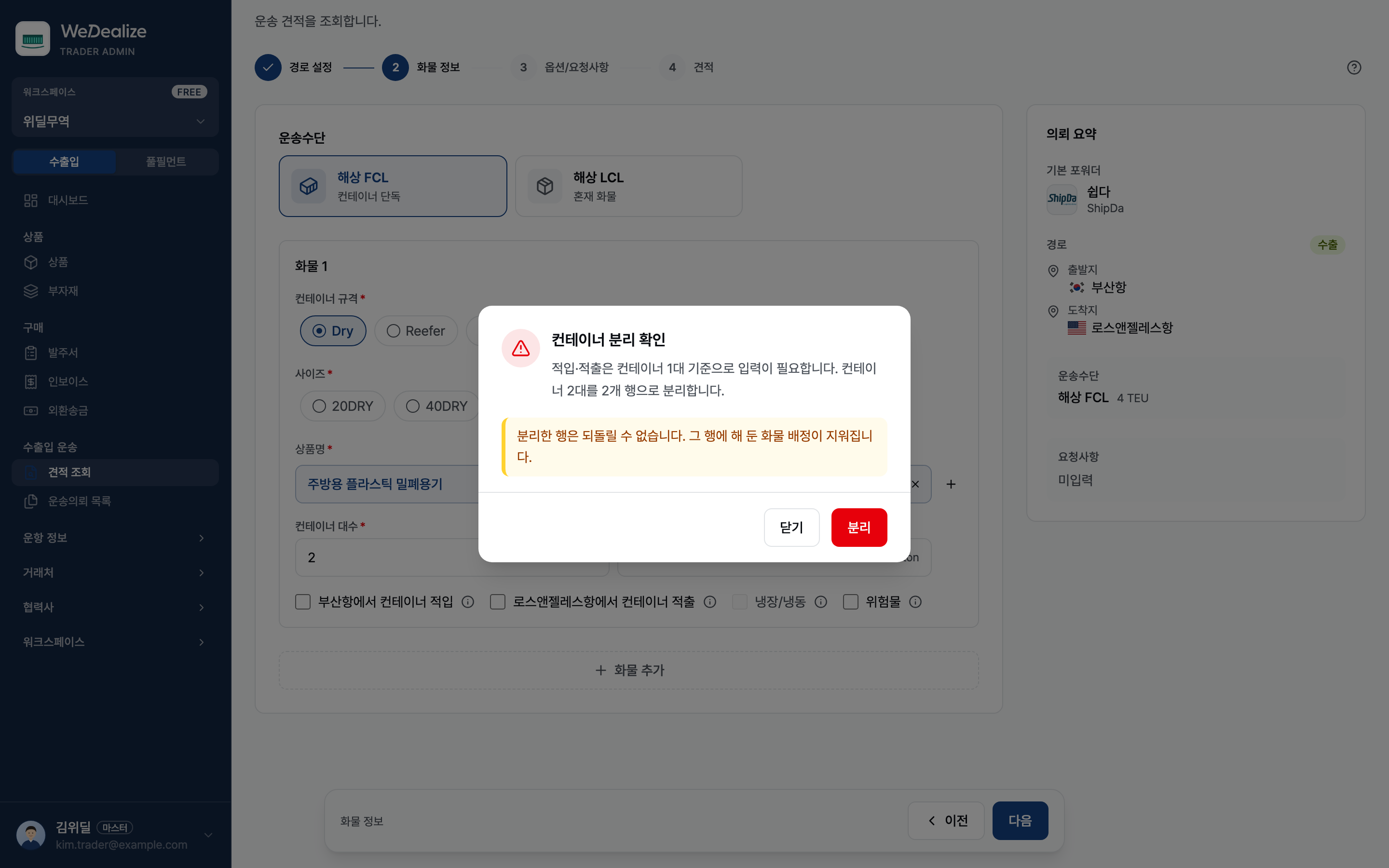
Check “Container stuffing at ○○ Port” or “Container unstuffing at ○○ Port.” Use this when consolidating cargo from multiple pickup locations into one container or dividing it for shipment to multiple destinations. When checked, fields appear for entering the “Inner Packaging” (packaging type, quantity, dimensions, and weight) to be placed inside the container. Enter stuffing/unstuffing containers one at a time. If there are two or more containers, a “Confirm Container Separation” window opens, and clicking “Separate” divides them into one-container rows. Separated rows cannot be merged back, and any cargo assignments made to those rows will be deleted.
It is refrigerated or frozen cargo
Select “Reefer” under “Container Type.” Refrigeration/freezing is enabled automatically, and fields appear for entering the “Minimum Temperature” and “Maximum Temperature” (°C). Refrigeration/freezing cannot be selected for Dry, Open Top, or Flat Rack containers.
What is different about Open Top and Flat Rack containers?
They are used for cargo that cannot fit into a standard container due to its height or width. These two container types always require “Inner Packaging,” and the container weight is calculated automatically by adding the weight of the inner packaging.
It is hazardous cargo
When you check “Hazardous Cargo,” a field appears for attaching an “MSDS.” You can upload one PDF, image, Word, Excel, or Hangul file of up to 10 MB.