[Cargo Information] Enter Multiple Shipments
Automatically translated from Korean.
What you can do
You can include shipments with different container sizes or different packaging dimensions and weights in a single request.
Once all shipments are entered, they collapse into one line and are summarized like “Product Name · 40HQ × 2,” so you can see even a long list at a glance.
The total cargo volume is combined and displayed in the request summary.
How to use it
After entering all the details for “Shipment 1,” click “Add shipment” below.
“Shipment 1” collapses into one line, and the input fields for “Shipment 2” open. Enter it in the same way.
The total cargo volume is shown under the transport mode in the request summary. For example, if there are two 40HQ containers and one 20DRY container, it is shown as “Ocean FCL 5 TEU.”
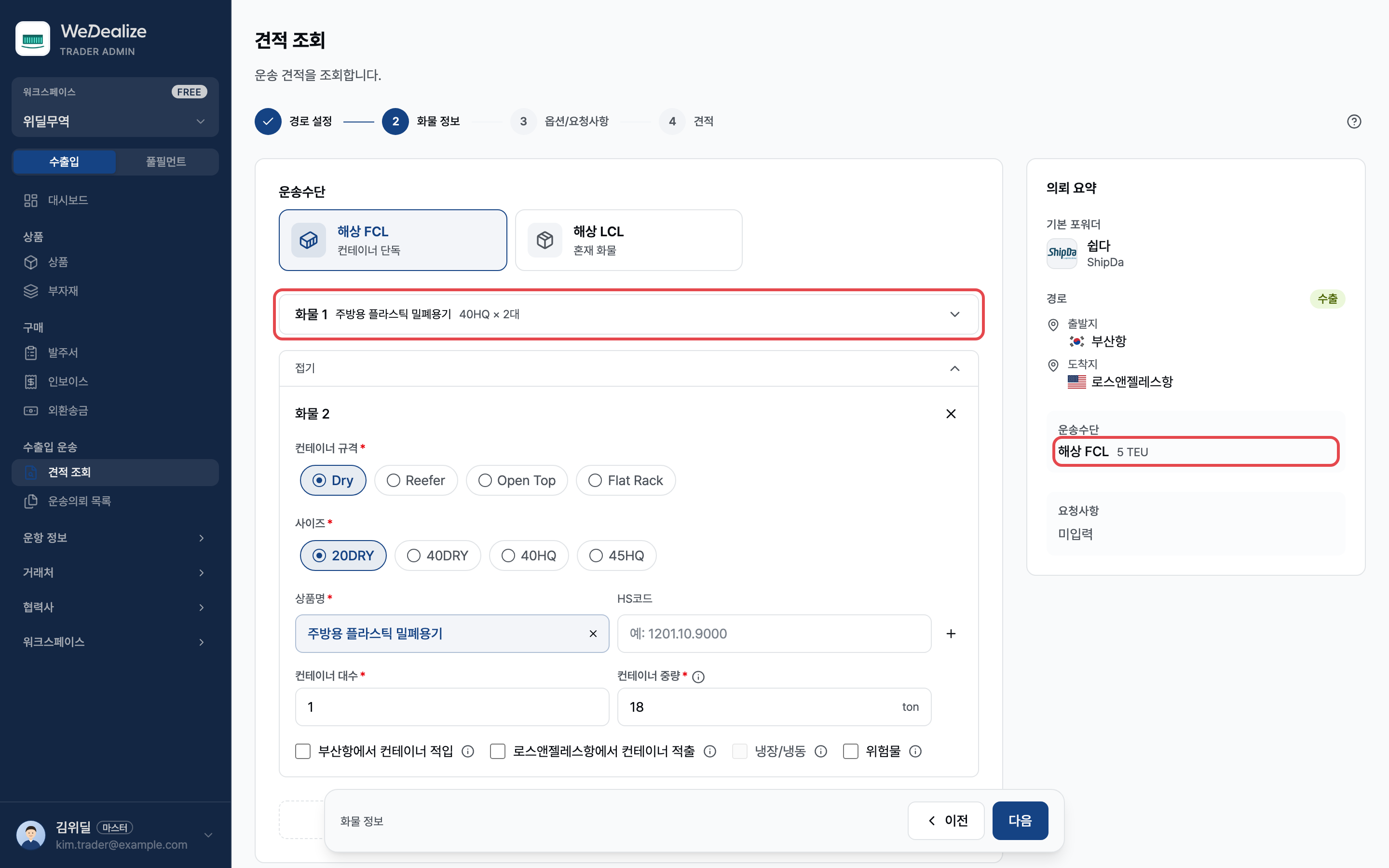
To edit a collapsed shipment, click its line. To delete a shipment, click the × in the upper-right corner of its section.
Frequently asked questions
Can I combine FCL and LCL in one request?
No. They cannot be combined. Since each request has one transport mode, all shipments added to a request use the same transport mode. To ship them separately, check quotes separately.
If there are multiple containers of the same size, how many shipments should I enter?
If the contents and weight are the same, enter one shipment and only increase the “Number of containers.” If the products or weight loaded in each container differ, enter them as separate shipments.
How many shipments can I enter?
You can enter up to 100 shipments in one request.