[Options/Requests] Choose who pays the Incoterms · LSS costs
Automatically translated from Korean.
What you can do
You can choose the trade terms (Incoterms) to determine which parts of the transportation the forwarder will handle.
Only Incoterms that match the route, mode of transport, and inland transportation are shown, with a default option preselected.
For ocean freight, you can choose whether the exporter or importer pays the LSS (Low Sulfur Surcharge).
How to use it
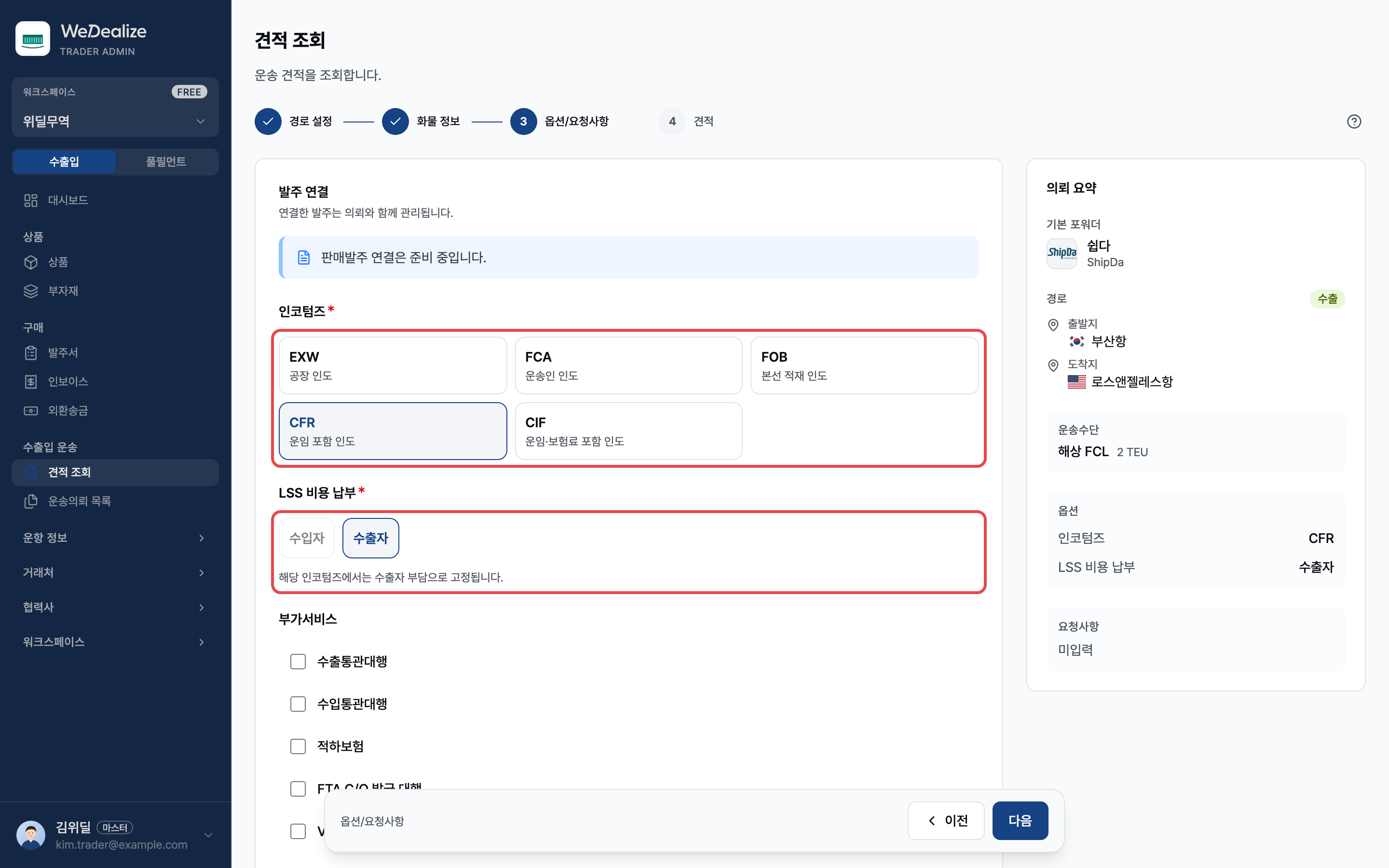
In step 3, "Options/Requests," check "Incoterms" and click your preferred terms if they are different. The selected Incoterms appear under "Options" in the request summary.
Transport type · Inland transportation | Available Incoterms (ocean freight) | Default |
|---|---|---|
Export · Triangular trade · Delivery off | EXW · FCA · FOB · CFR · CIF | CFR |
Export · Triangular trade · Delivery on | DAP · DDP | DAP |
Import · Pickup off | FCA · FOB · CFR · CIF · DAP · DDP | FOB |
Import · Pickup on | EXW · FCA | EXW |
For air freight, CPT and CIP are shown instead of CFR and CIF. For export or triangular trade with delivery turned off, the default is CPT.
Check "LSS payer." In many cases, this is determined by the Incoterms. Only for FOB can you choose between the importer and exporter.
Frequently asked questions
I can't change the LSS payer
This is because the Incoterms determine who pays the LSS. Under CFR, CIF, DAP, and DDP, the exporter is fixed as the payer; under EXW and FCA, the importer is fixed, and "For these Incoterms, ○○ is fixed as the payer." is displayed. For FOB, the default is the importer, but you can change it to the exporter. There is no LSS for air freight. If you select EXW for an export, there is no transportation for the forwarder to handle, so "For requests that do not require a forwarder, the LSS payer cannot be selected." is displayed.
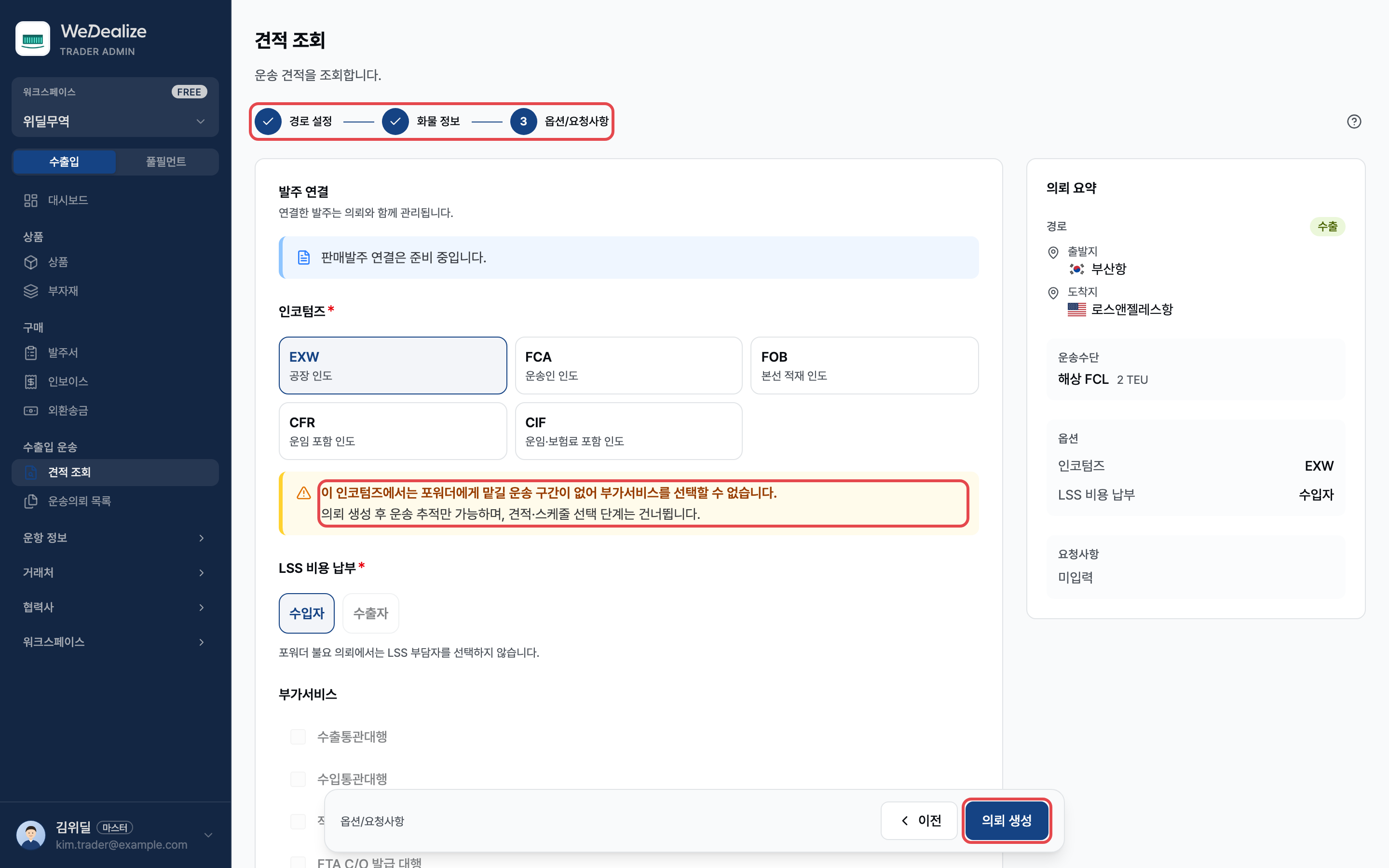
The "Quote" step disappeared when I selected EXW
For exports, EXW means the importer handles all transportation, so there is no transportation segment for the default forwarder to handle. The message "Because there is no transportation segment for the forwarder to handle under these Incoterms, you cannot select value-added services. After creating the request, you can only track the transportation, and the quote and schedule selection steps will be skipped." appears, and the button below changes to "Create request." The same applies to DAP and DDP for imports.
The Incoterms I want aren't in the list
Only terms that match the route and inland transportation settings are shown. For example, if you turn on delivery (inland transportation at the destination) for an export, only DAP and DDP remain. Check the "Inland transportation" settings in step 1.