[Options/Requests] Link Purchase Orders
Automatically translated from Korean.
What You Can Do
When viewing an import quote, you can link an already registered purchase order (PO) to the request.
Linked purchase orders are managed together with the request, so you can check from either side which purchase order was loaded onto which shipment.
You can link multiple purchase orders to a single request.
Steps
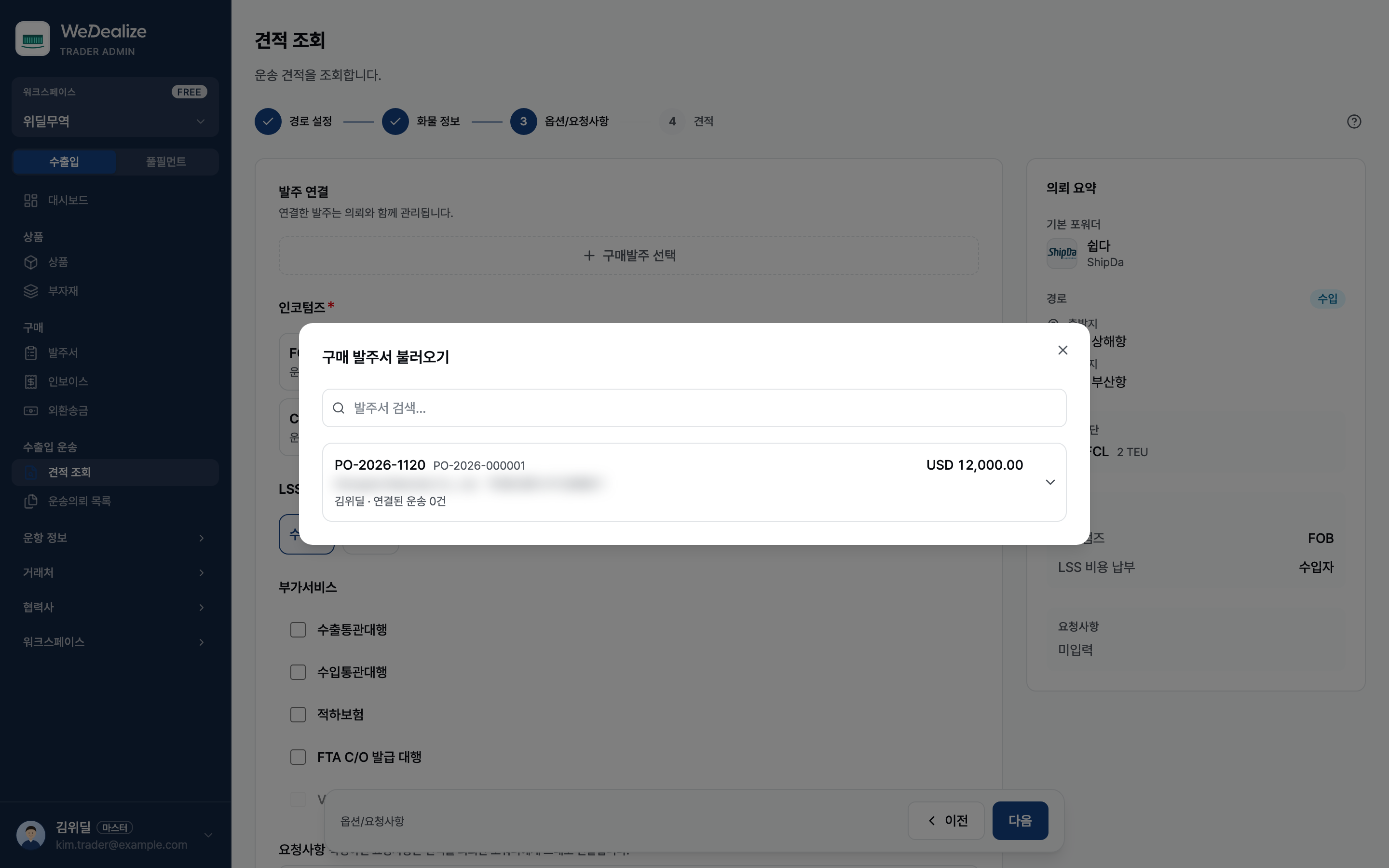
Enter the route and cargo with the transport type set to 「Import」, then go to Step 3, 「Options/Requests」. At the top, under 「Link Purchase Order」, click 「Select Purchase Order」.
The 「Import Purchase Orders」 window displays the purchase orders that can be linked. For each order, you can see the PO number and order registration number, supplier and products, registrant and number of linked shipments, and amount. Click the purchase order you want to link.
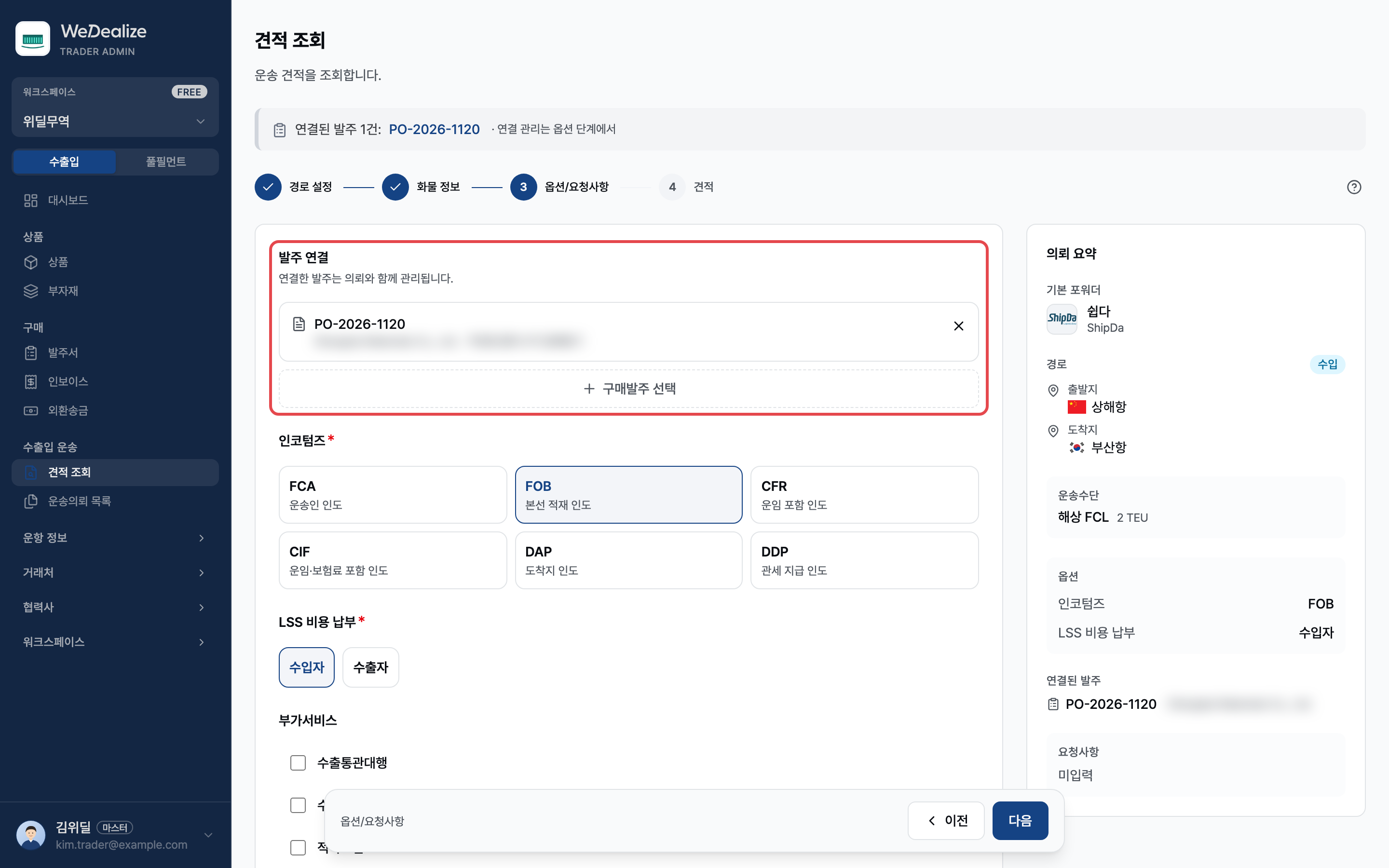
The selected purchase order appears under 「Link Purchase Order」, 「1 linked purchase order」 appears at the top of the screen, and 「Linked Purchase Orders」 appears in the request summary. To link more purchase orders, click 「Select Purchase Order」 again. To remove one, click the × on the right of its row.
Frequently Asked Questions
I linked a purchase order, and now I can't select the transport type 「Export」 or 「Cross-trade」.
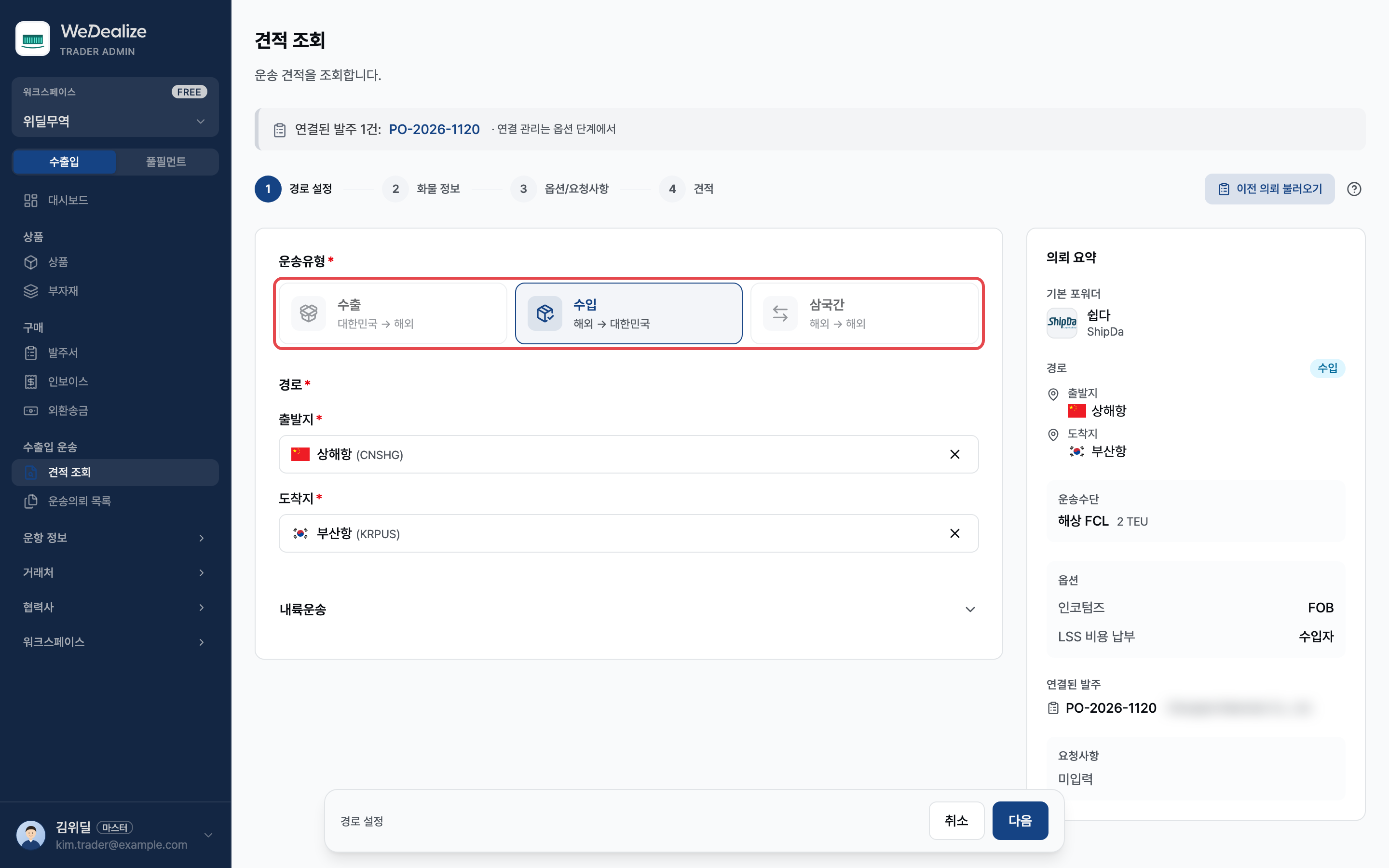
Purchase orders can only be linked to import requests, so linking a purchase order locks the transport type in Step 1 to 「Import」. To change to another transport type, first remove the linked purchase order in Step 3.
Can't I link a purchase order to an export request?
Sales orders to be linked to export and cross-trade requests are still in preparation. In the 「Link Purchase Order」 section of an export quote, you will see 「Linking sales orders is in preparation.」
Does the cargo fill in automatically when I link a purchase order?
No. The purchase order is only linked to the request, and you must enter the cargo manually in Step 2. This is because a single purchase order is often divided across multiple shipments.
I see 「There are no registered purchase orders.」
There are no purchase orders in this workspace that can be linked. Register the purchase order first under 「Purchasing」 → 「Purchase Orders」. You can also link a purchase order from its details by clicking 「+ Link Shipment Request」 even after creating the request.