[Quote] Choosing a Customs Broker and Loading/Unloading Partner
Automatically translated from Korean.
What you can do
You can choose a partner (customs broker or warehouse) to handle customs clearance, container stuffing, and devanning by comparing their fees and areas of expertise.
Initially, the least expensive partner is selected, and that fee is included in the freight.
When you change the partner, the total freight changes immediately.
How to use it
In Step 3, “Options/Requests,” check “Export Customs Clearance” or “Import Customs Clearance,” or check “Container Stuffing” or “Devanning” in Step 2.
In Step 4, “Quote,” select a vessel by clicking “Select.” “Value-Added Service Partners” will then appear below that row. For each category (export customs clearance, import customs clearance, container stuffing, and devanning), you can see the currently selected partner and the number of candidates, such as “Compare 3.”
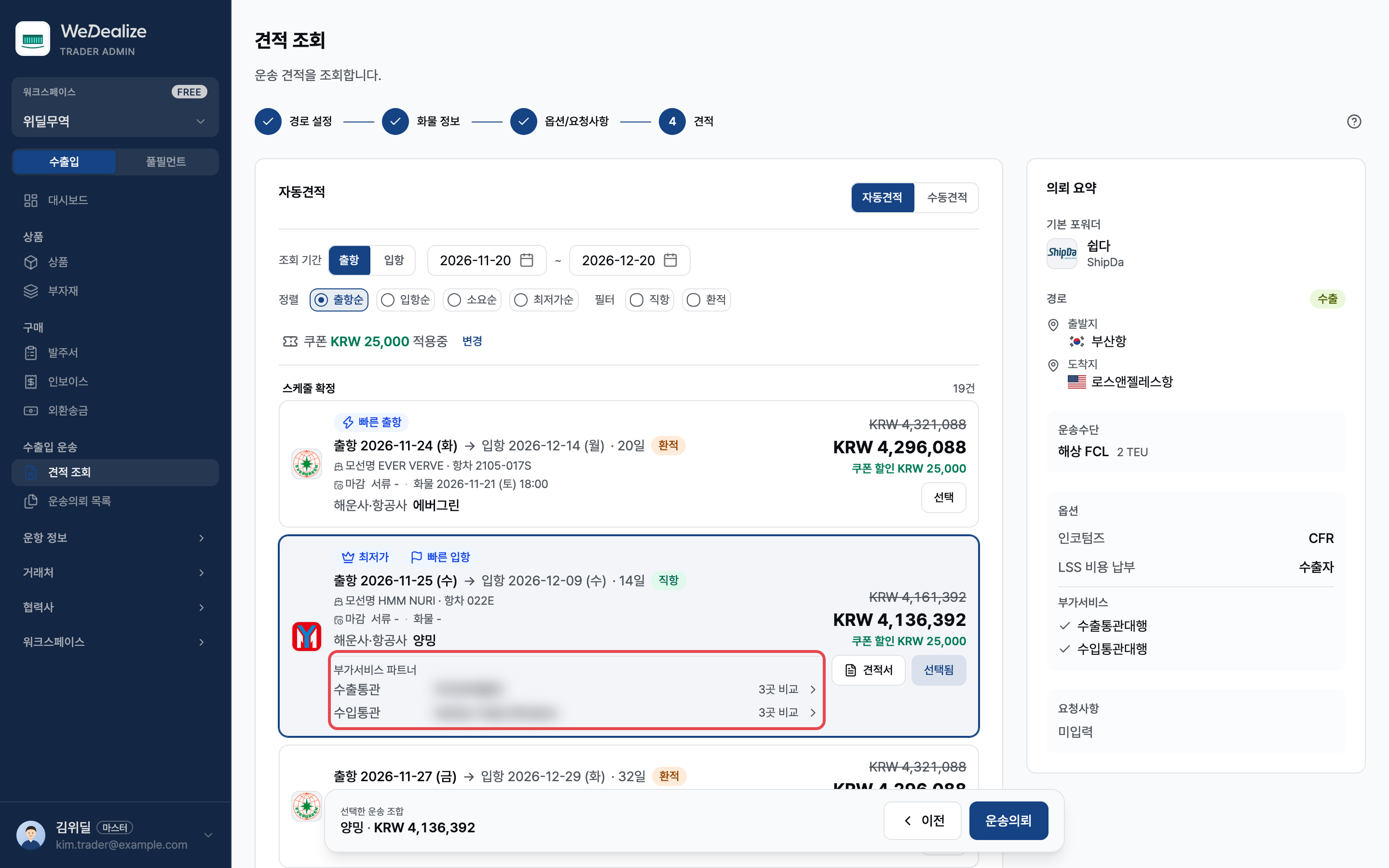
Click the row for the category you want to change to open the “○○ Partner” window. For each partner, the fee (excluding VAT), areas of expertise, customs clearance countries, and location are shown in ascending order of fee. Click “Details” to view the fee breakdown.
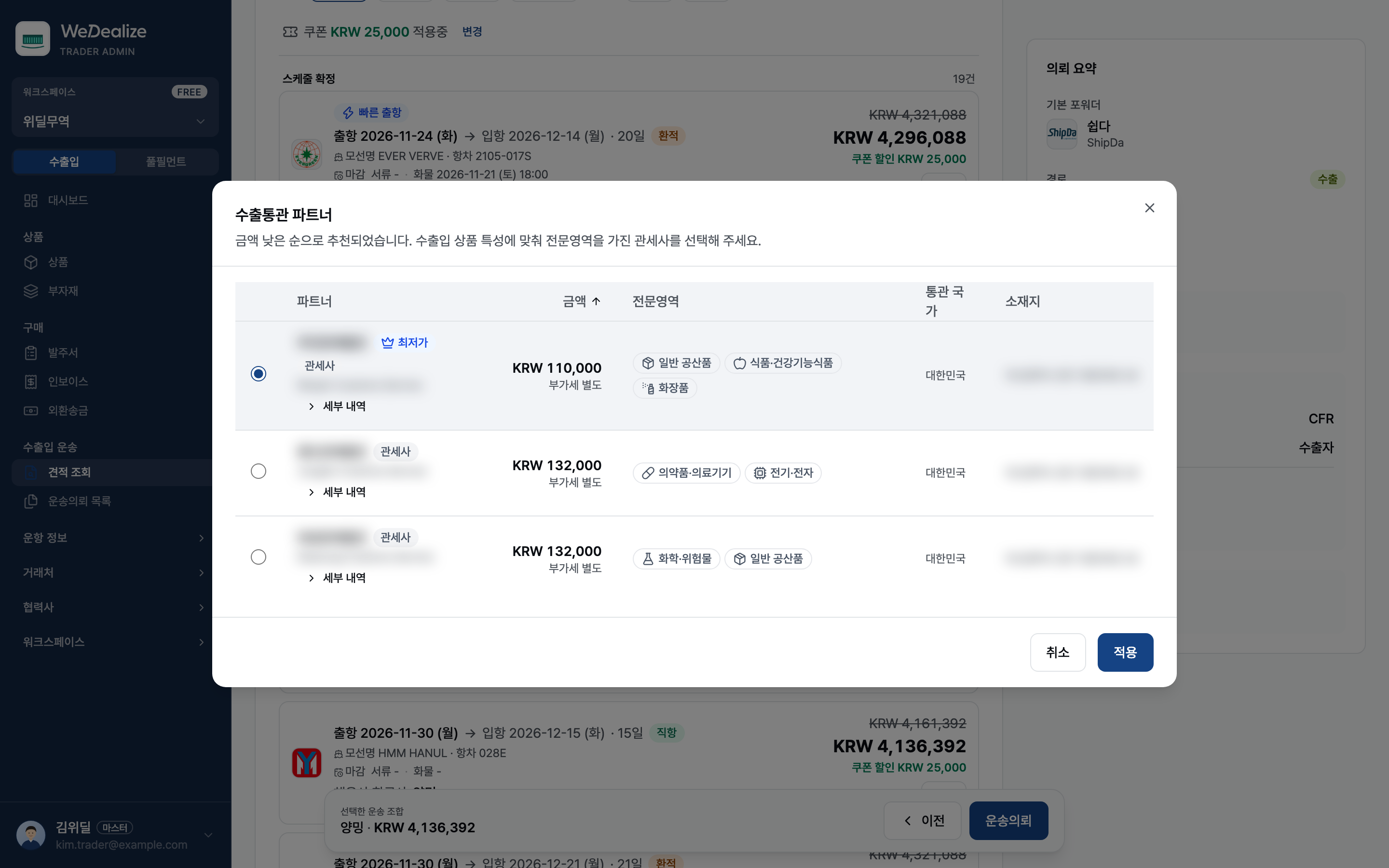
Choose the partner you want to use and click “Apply.” The freight and the amount for the “Selected Transport Combination” will be recalculated based on the new partner.
Frequently asked questions
I can’t see the “Value-Added Service Partners” row.
You may not have selected customs clearance, stuffing, or devanning, or the default forwarder may not have registered any partners in that region. It appears only for the selected vessel, so select a vessel first.
It shows “1 available · View,” and I can’t change it.
There is only one partner available to handle that task. When you open the window, you can view only that partner’s information.
Will the partner I selected be remembered for my next request?
The company selected for the previous request will be selected first as the default for the next quote, with the “Previous Selection” label.