[Quote] Applying and changing coupons
Automatically translated from Korean.
What you can do
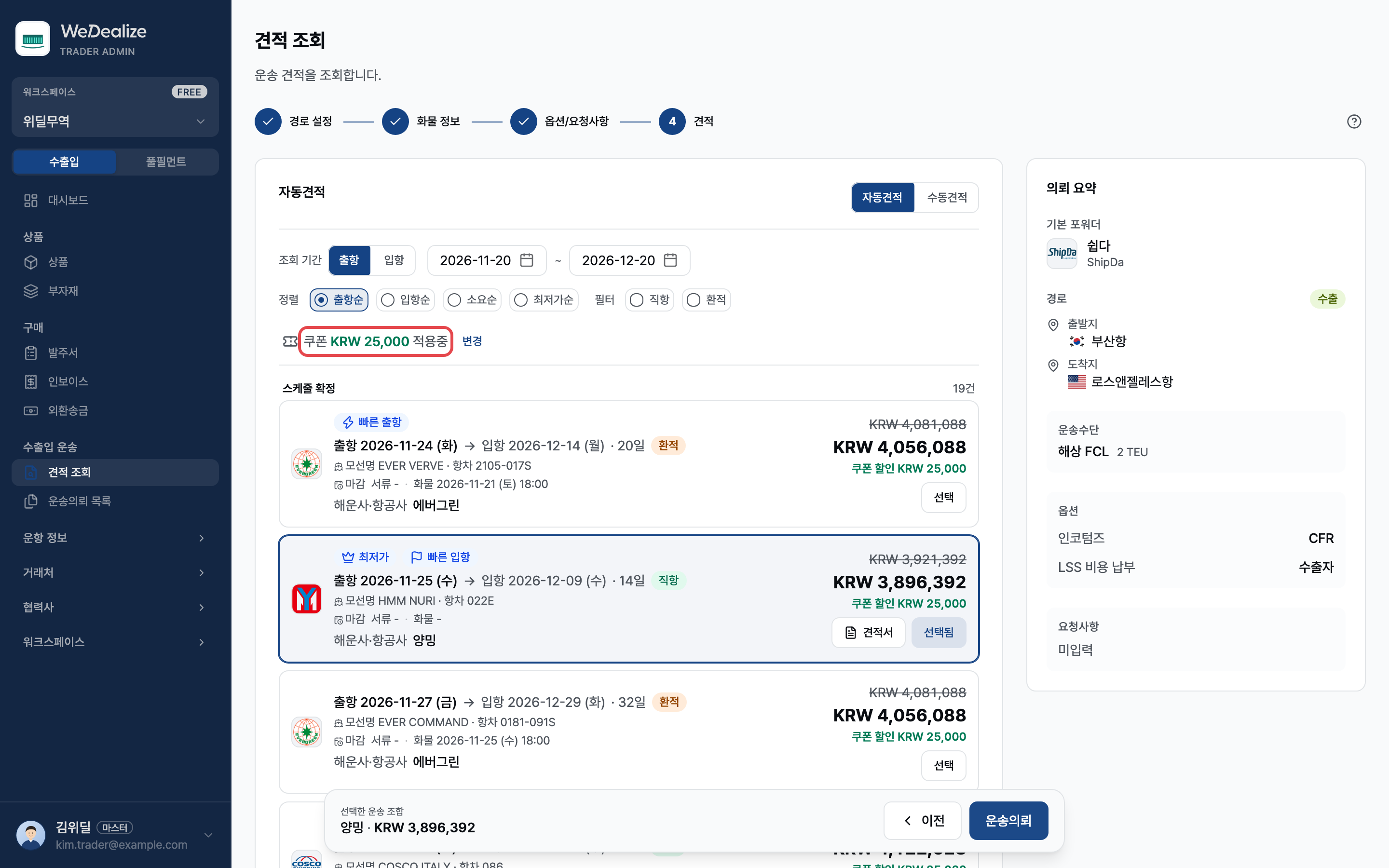
The freight discount coupons available in your workspace are automatically applied at the 「Quote」 stage.
You can switch the applied coupon to another coupon or proceed without a coupon.
When a coupon is applied, each fare shows both the pre-discount amount and the discount amount.
How to use it
Above the automated quote list in step 4, 「Quote」, check the applied coupon, such as 「Coupon KRW 25,000 applied」. For each fare, the pre-discount amount is crossed out, and 「Coupon discount KRW 25,000」 is shown.
To change the coupon, click 「Change」 next to it. The 「Select a coupon」 window shows the coupons available for this mode of transport and their validity periods.
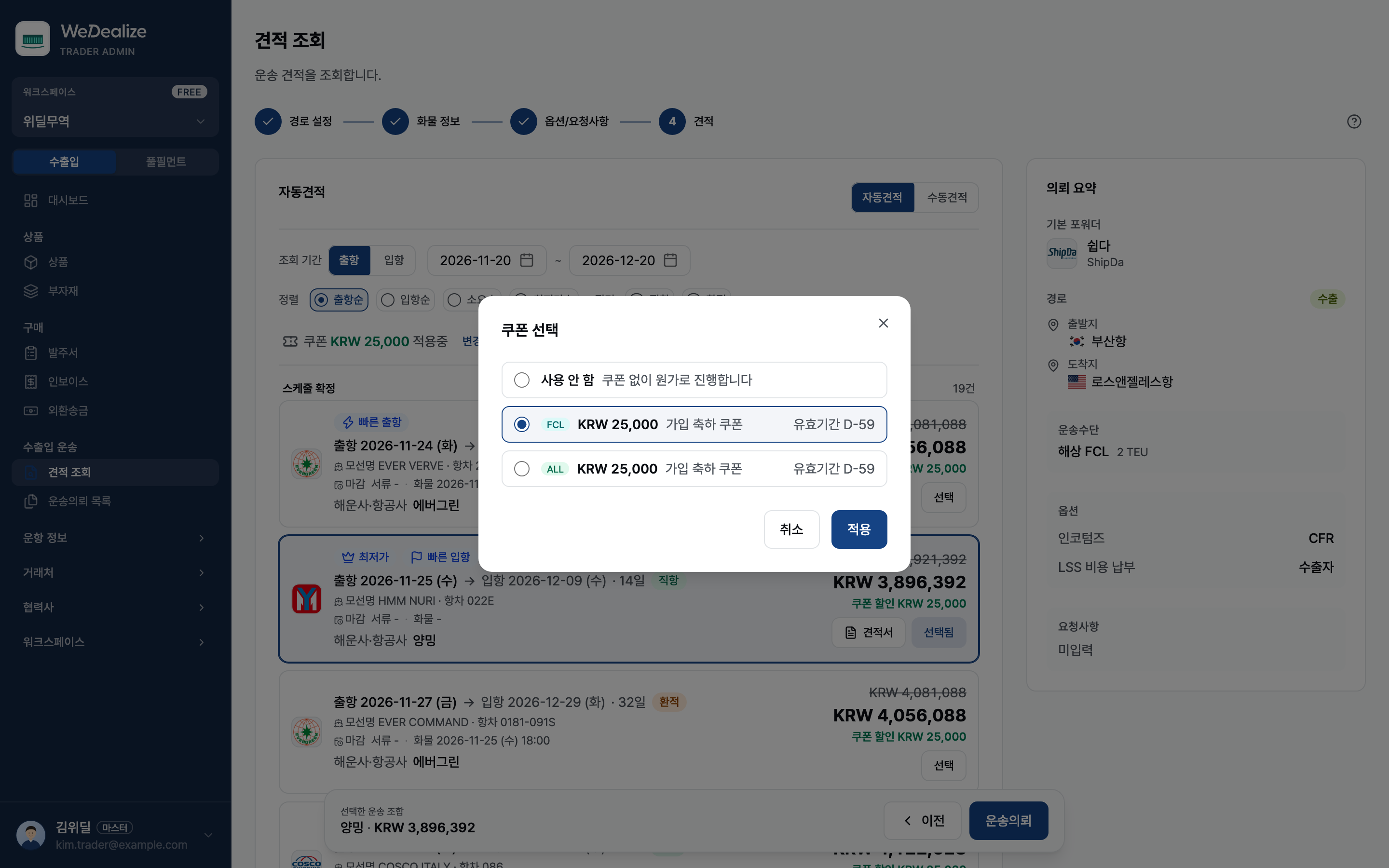
Select the coupon you want to use and click 「Apply」. To proceed without a coupon, select 「Don't use」. It will then change to 「No coupon applied」, and the original amount will be shown.
Frequently asked questions
My coupon isn't appearing in the list.
Only coupons that match the mode of transport are shown. For ocean FCL, 「FCL」 and 「ALL」 coupons are shown, while 「LCL」 and 「AIR」 coupons are not. Expired coupons are not shown either.
Can I use two coupons?
Only one coupon can be applied per request.
When is a coupon considered used?
It is applied to the request when you click 「Shipping request」 to create the request. The discount amount is finalized based on the actual amount charged at settlement. If the request is canceled, the coupon becomes available for use again.
I want to use a coupon directly from the mobile coupon screen.
In 「Workspace」 → 「Coupons」, click 「Request shipment with this coupon」 to open the quote search with that coupon selected. See 「[Getting Started] Start searching for quotes from schedules, coupons, and repeat requests」.