[Quotation] View the Preliminary Quotation
Automatically translated from Korean.
What You Can Do
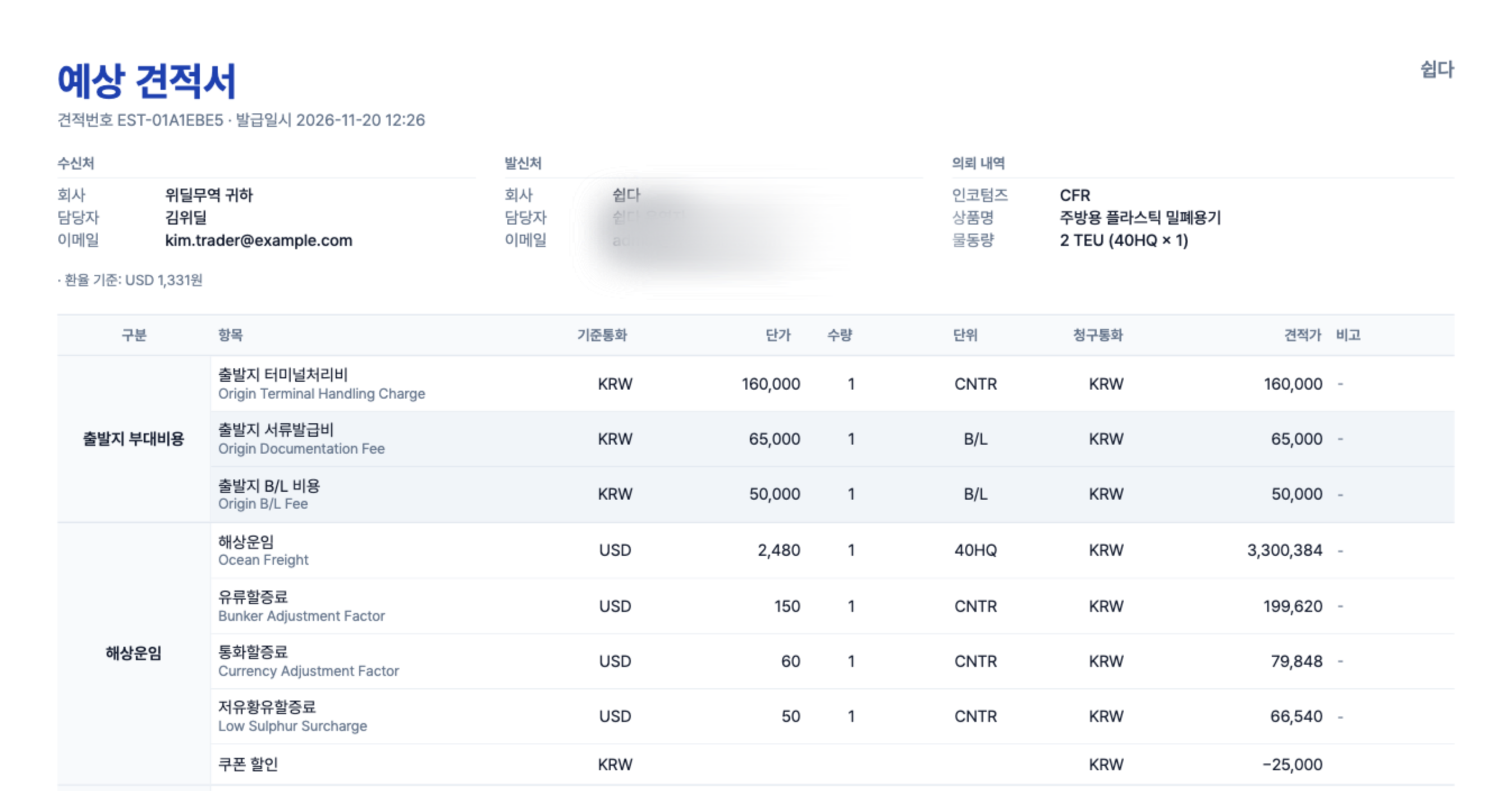
You can view a PDF of a preliminary quotation that breaks down the freight for the selected vessel by item.
You can view origin local charges, ocean freight, surcharges, coupon discounts, and items billed at actual cost all on one page.
You can save or print it for internal approval or sharing with business partners.
Steps
In step 4, "Quotation," "select" the vessel you want. A "Quotation" button appears on the selected row.
Click "Quotation" to open the preliminary quotation (PDF) in a new tab.
On the first page, review the recipient (our company), sender (default forwarder), request details (Incoterms, product name, and cargo volume), and the amount for each item. Items in foreign currencies are converted to KRW using the exchange rate shown under "Exchange Rate Basis."
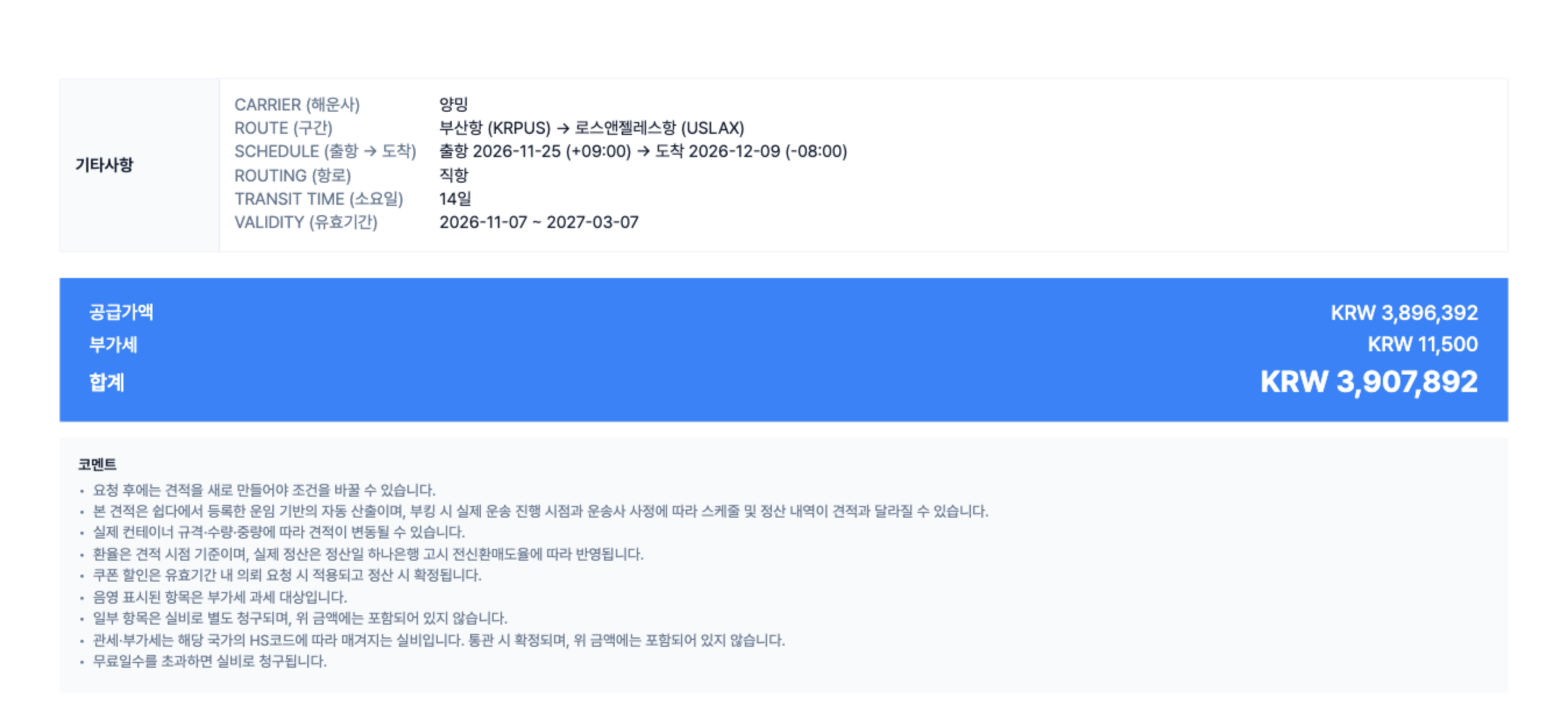
On the next page, review the shipping line, leg, schedule, route, transit time, validity period, supply amount, VAT, and total. The quotation terms are listed under "Comments."
Frequently Asked Questions
What are "actual-cost" items?
These are items whose amounts cannot be determined in advance and are billed separately based on the actual costs incurred. This includes costs determined during transportation, such as charges incurred after the free storage period. Actual costs are not included in the total.
Which items are subject to VAT?
The items shaded in the quotation table are subject to VAT. For example, VAT applies to costs incurred domestically, such as origin document issuance fees and B/L charges.
Is the amount on the quotation the same as the actual amount billed?
It may differ. The amount can change depending on the actual container type, quantity, and weight; the carrier's circumstances at the time of booking; and the exchange rate on the settlement date (Hana Bank's published telegraphic transfer selling rate). Coupon discounts are also finalized at settlement.
I don't see the Quotation button.
The "Quotation" button appears only for the vessel you have "selected." To view the quotation for another vessel, "select" that vessel first.