[Quote] Creating a Shipping Request
Automatically translated from Korean.
What you can do
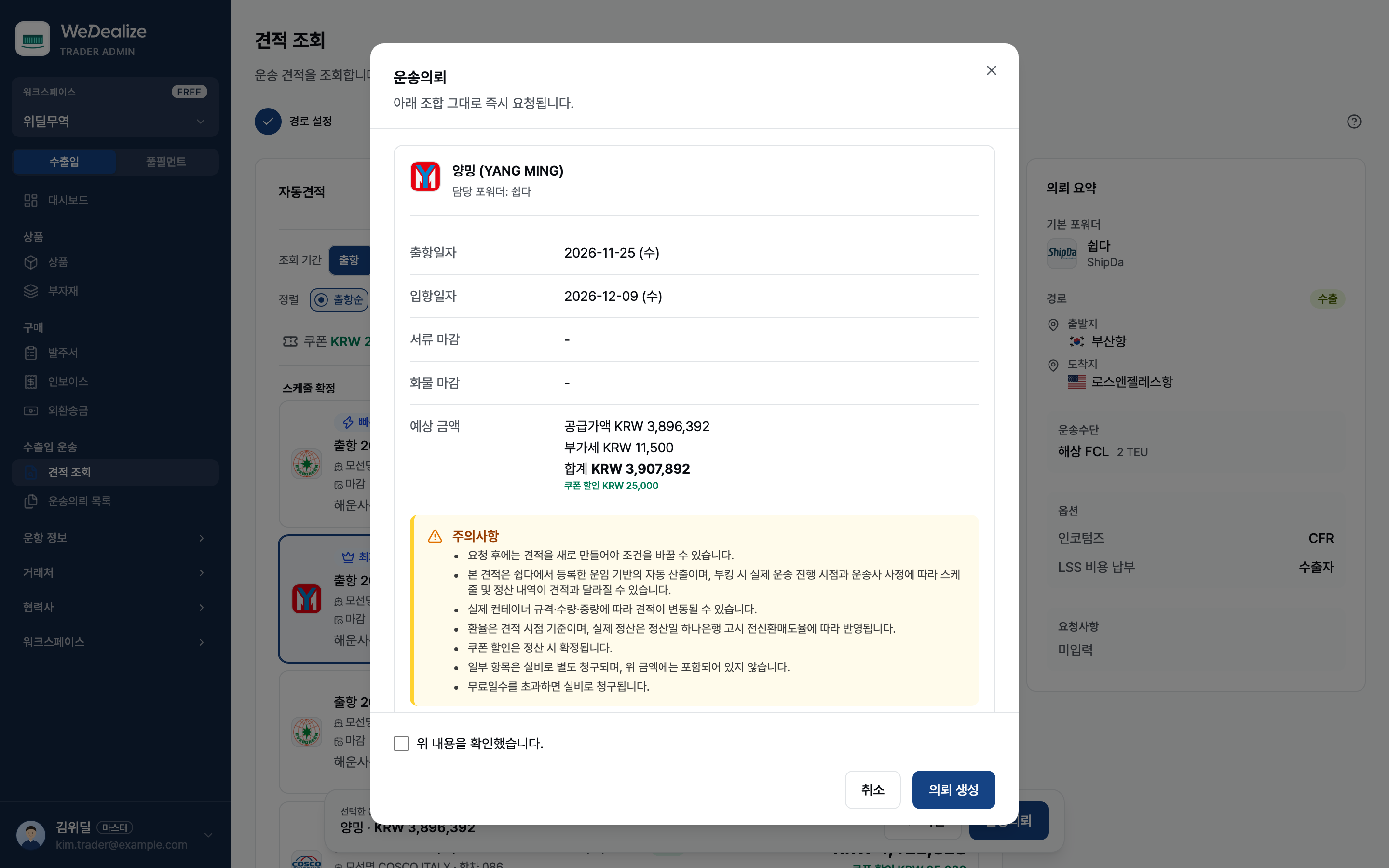
You can immediately create a shipping request using the vessel and freight selected in the automatic quote.
Before creating it, you can review the shipping line, schedule, estimated amount, and precautions one more time.
Steps
In Step 4, "Quote," select a vessel and then click "Shipping Request" below.
In the "Shipping Request · The request will be submitted immediately with the combination below." window, check the shipping line, assigned forwarder, departure and arrival dates, document and cargo deadlines, and estimated amount (taxable amount, VAT, total, and coupon discount).
Read the "Precautions," check "I have confirmed the above information," and then click "Create Request."
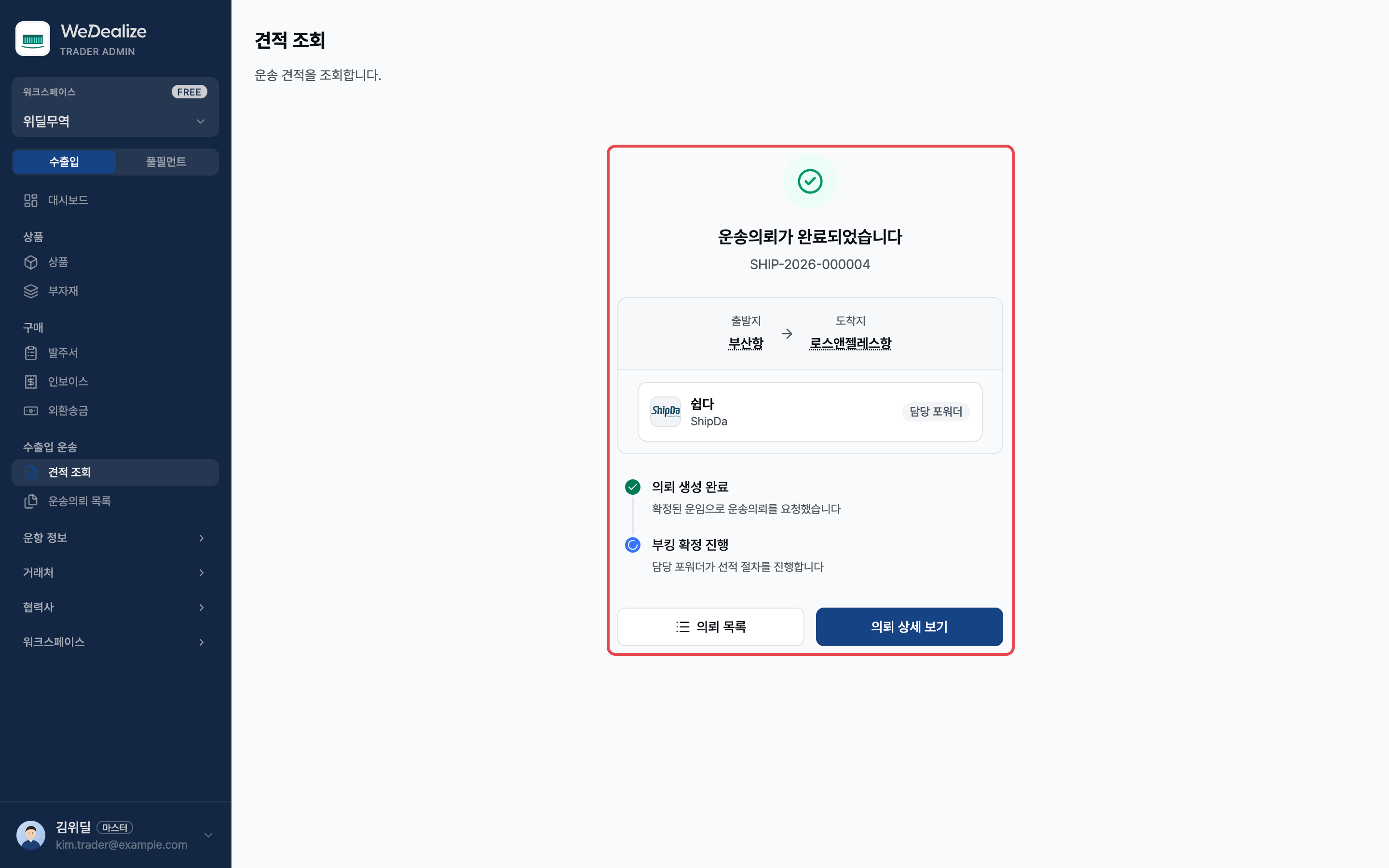
On the "Shipping request completed" screen, you can see the request registration number (e.g., SHIP-2026-000004), origin, destination, and assigned forwarder. In the progress steps below, "Shipping request created" is followed by "Booking confirmation in progress · The assigned forwarder will proceed with the shipping process."
Click "View Request Details" to open the request you just created. The status is "Quote Accepted," and the selected shipping line and preferred schedule (departure and arrival dates, vessel name and voyage number) are filled in. Click "Request List" to find it at the top of the "Shipping Request List."
Frequently asked questions
"Please check the box." appears.
You clicked "Create Request" without checking "I have confirmed the above information." Check the box and click it again.
Can I change the conditions after creating a request?
You cannot change the conditions of this quote after submitting the request. To make changes, search for a new quote and submit the request again. Click "Request Again" in the shipping request details to start a new quote search for the same route and cargo.
Who is the "Assigned Forwarder"?
The default forwarder at the time the request is created becomes the assigned forwarder for that request. In Korea, Shipda Forwarding's digital forwarding team is the default forwarder. It appears as "Shipda" on the screen.
Can the estimated amount differ from the actual amount billed?
Yes, it can. As noted in the "Precautions" in the confirmation window, the amount may change depending on the actual cargo, booking date, and exchange rate on the settlement date, and pass-through expenses are billed separately. For itemized amounts, see the article "[Quote] Checking the Estimated Quotation."