[Quote] Request a quote with a manual quote request
Automatically translated from Korean.
What you can do
When there is no freight rate that can be calculated immediately, or when the conditions are unusual and a forwarder's quote is needed, you can request a quote from the default forwarder.
You can also indicate when you would like to receive the quote (submission deadline) and the date when the cargo will be ready.
Steps
In step 4, "Quote," click "Manual quote" in the upper-right corner. If there is no freight rate that can be calculated immediately, the screen opens with a manual quote request from the start, along with the message "There are no freight rates available for an immediate quote."
Check the "Submission deadline." This is the deadline by which the forwarder must provide a quote, and it is initially set to two business days from now. Enter the "Cargo ready date" if the date when the cargo will be ready has been decided.
The default forwarder from which you will receive a quote (e.g., Shipda) appears below. Click "Request quote."
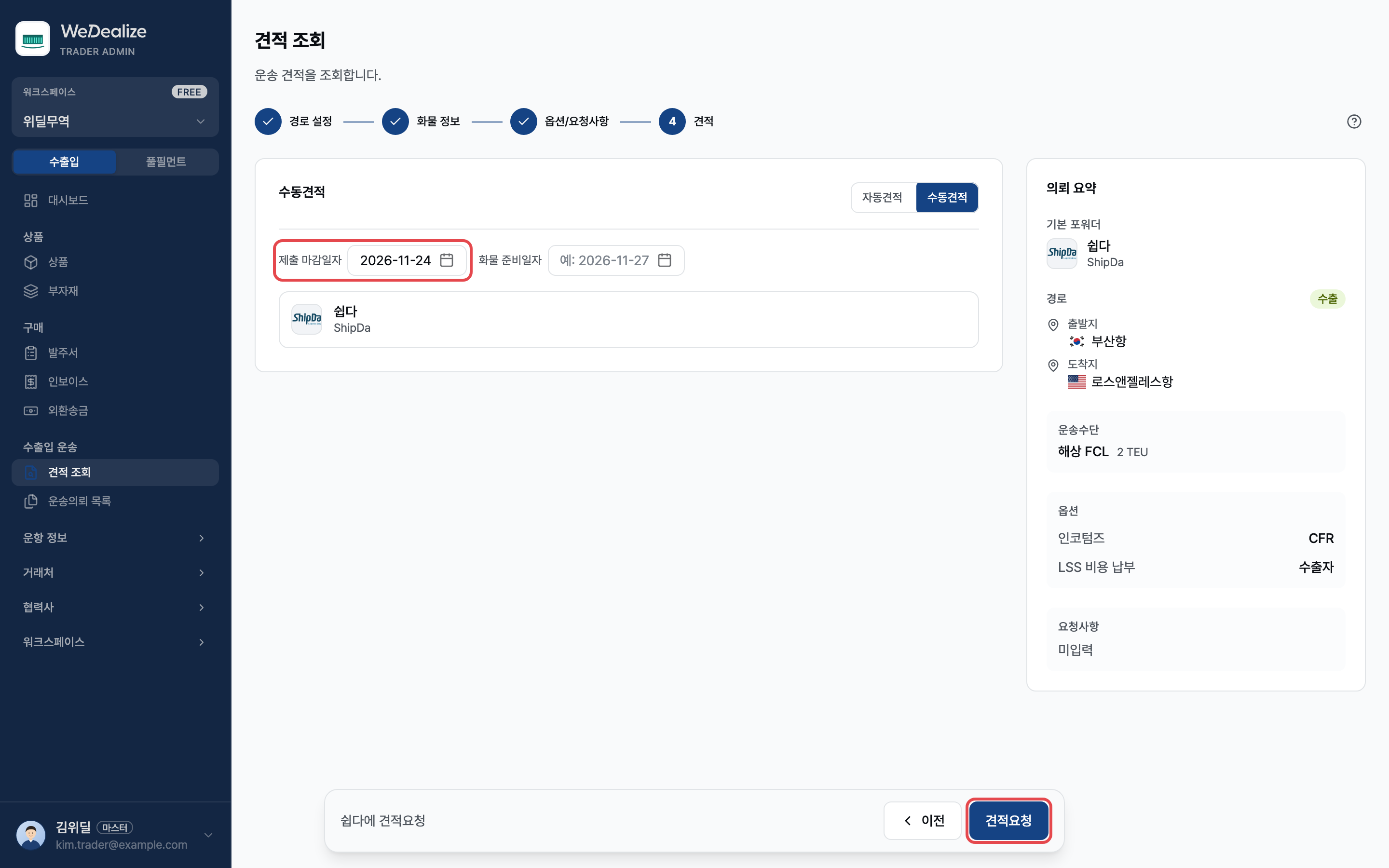
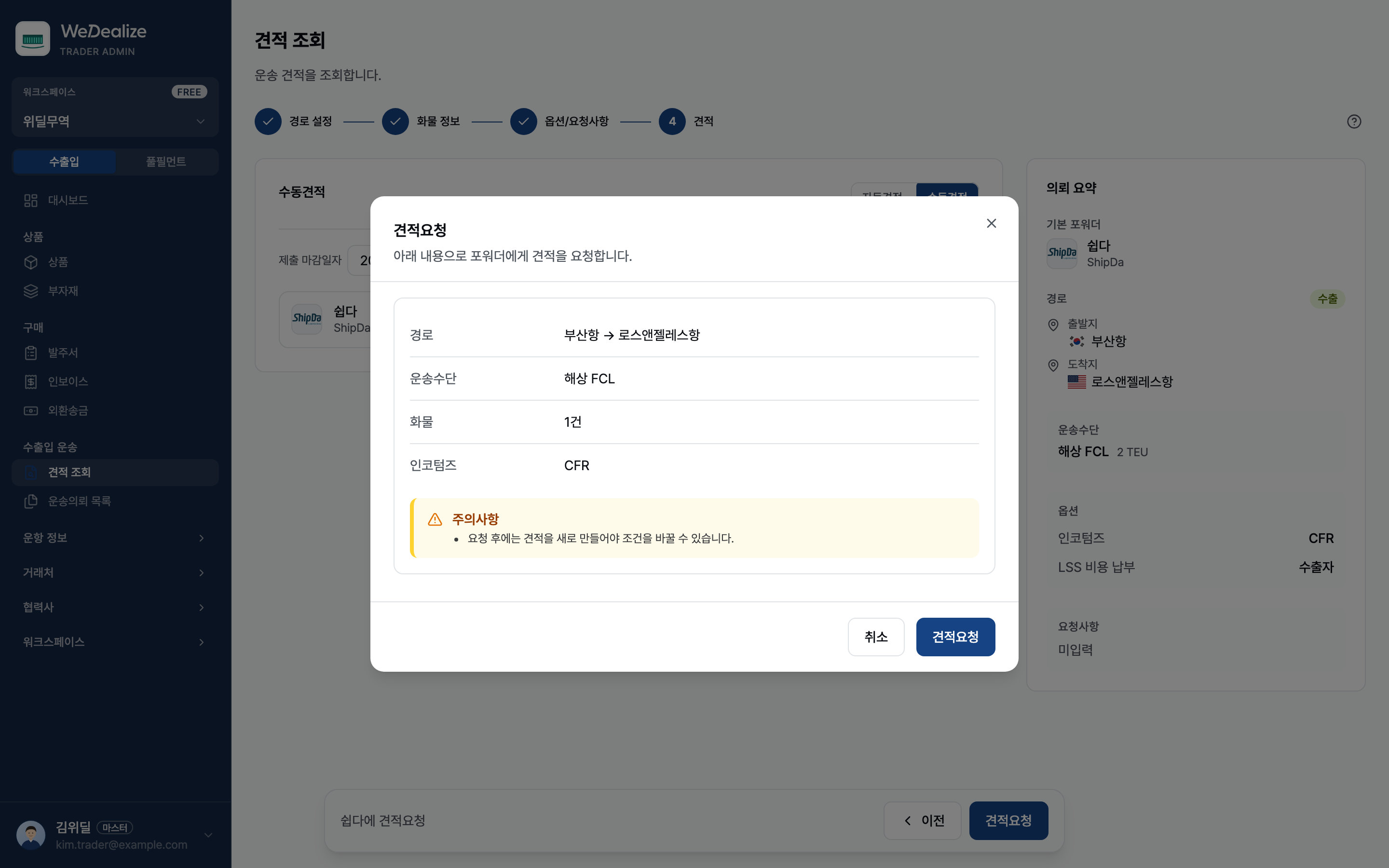
In the "Request quote · A quote will be requested from the forwarder with the information below." window, check the route, mode of transport, cargo, and Incoterms, then click "Request quote."
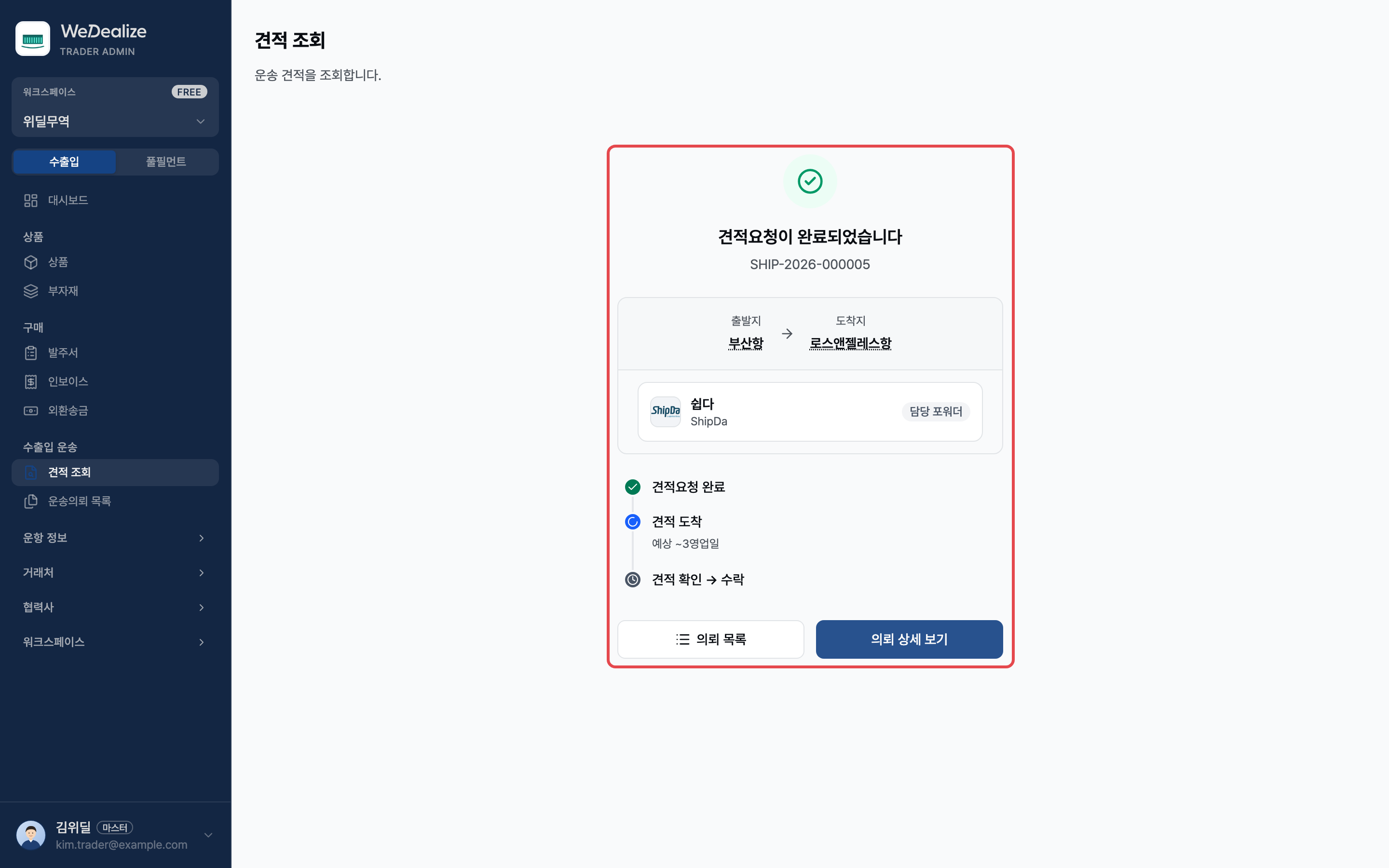
On the "Quote request completed" screen, you can see the request registration number and the assigned forwarder. The progress stages are "Quote request completed" → "Quote received · Estimated ~3 business days" → "Review quote → Accept." In the "Transport request list," this request appears as "Request received · Awaiting quote."
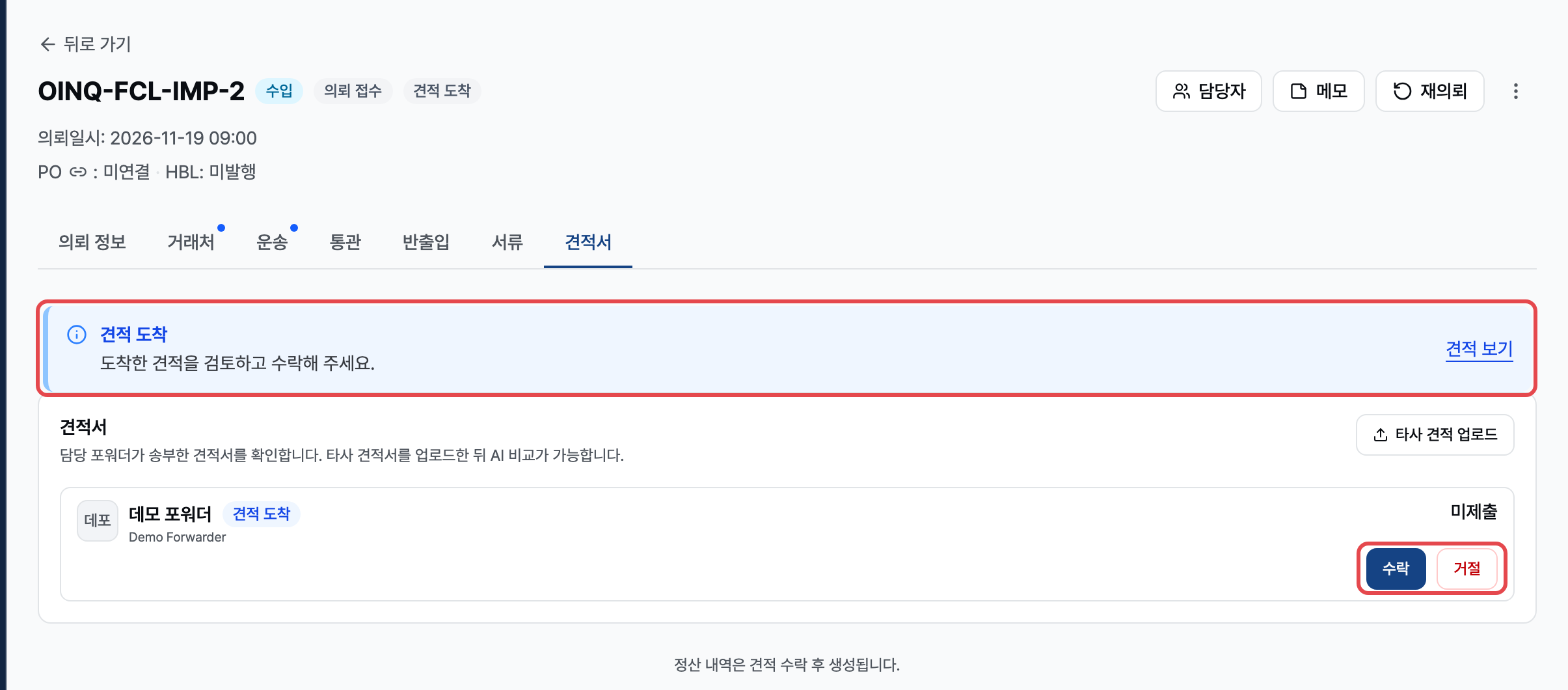
When the forwarder sends a quote, the request details status changes to "Quote received." Check the details under the "Quote" tab by selecting "View quote," then click "Accept" or "Reject." If you accept it, transportation proceeds, and the settlement details are created after acceptance.
Frequently asked questions
What dates can I set as the submission deadline?
You can choose a date from two business days from now up to 30 days from now. Since the forwarder needs time to prepare the quote, dates that are too soon cannot be selected.
Do I have to enter the cargo ready date?
No. If the cargo is already ready, you can also enter a past date. After the request is created, the forwarder manages this date and can update it.
Can I request a manual quote even if an automatic quote is available?
Yes. If the automatic quote does not include the conditions you want, switch to "Manual quote" and submit the request.
Can I change the conditions after submitting the request?
You cannot change the conditions after submitting the request. To make changes, look up a new quote and submit the request again.