[Invite team members] Resend or cancel invitations
Automatically translated from Korean.
What you can do
If a colleague doesn't receive the invitation email, you can resend it. When you resend it, the invitation period is extended to 72 hours from that point.
You can cancel an invitation sent by mistake.
Invitations that were canceled, expired, or declined by a colleague can be sent again as a new invitation using “Invite again.”
Steps
Resend
In the left menu, go to “Workspace” → “Settings” → the “Member management” tab, then click the “Pending” row. The invitation details window opens on the right.

Click “Resend invitation” at the bottom of the window.
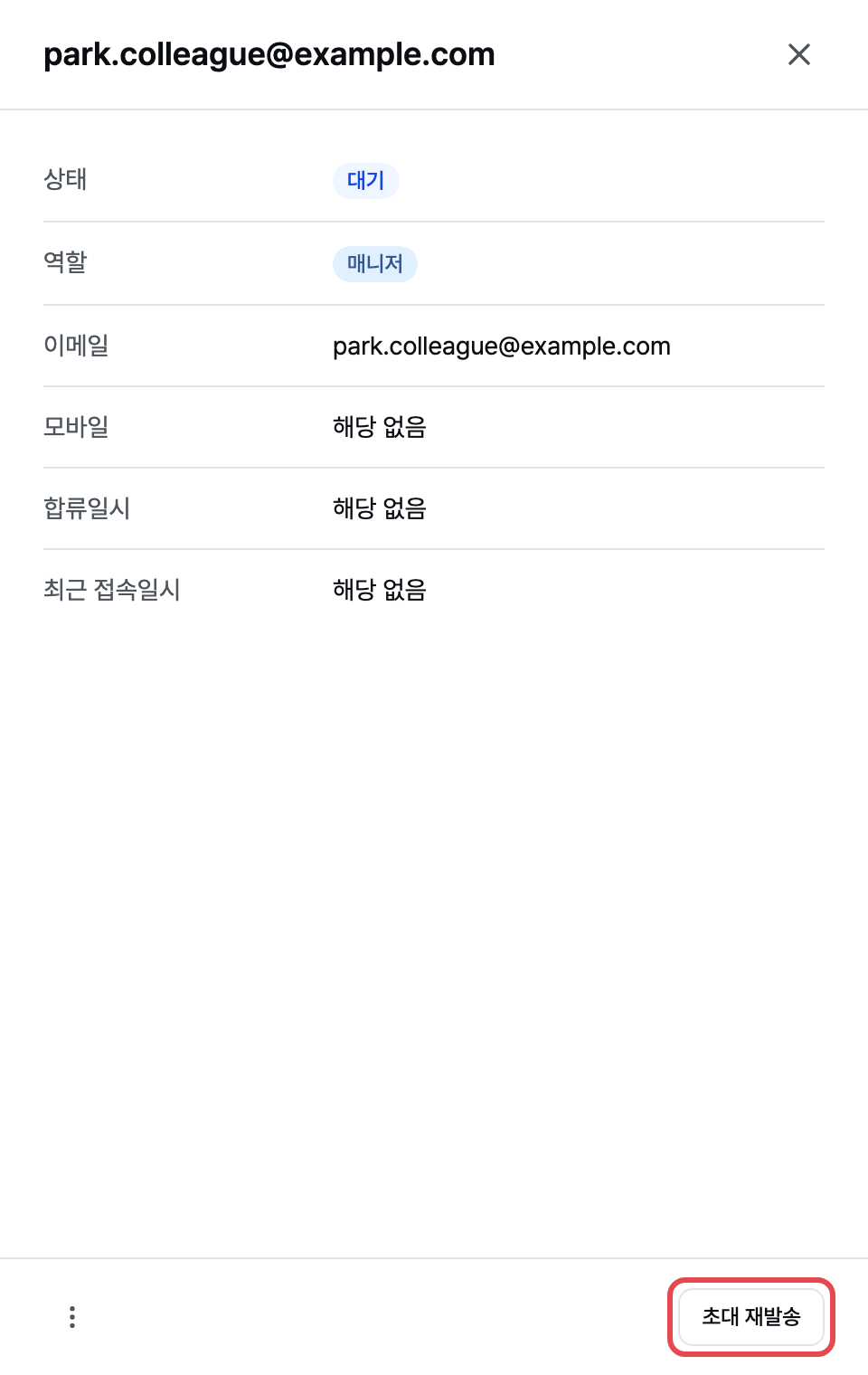
“The invitation has been resent.” appears.

Cancel
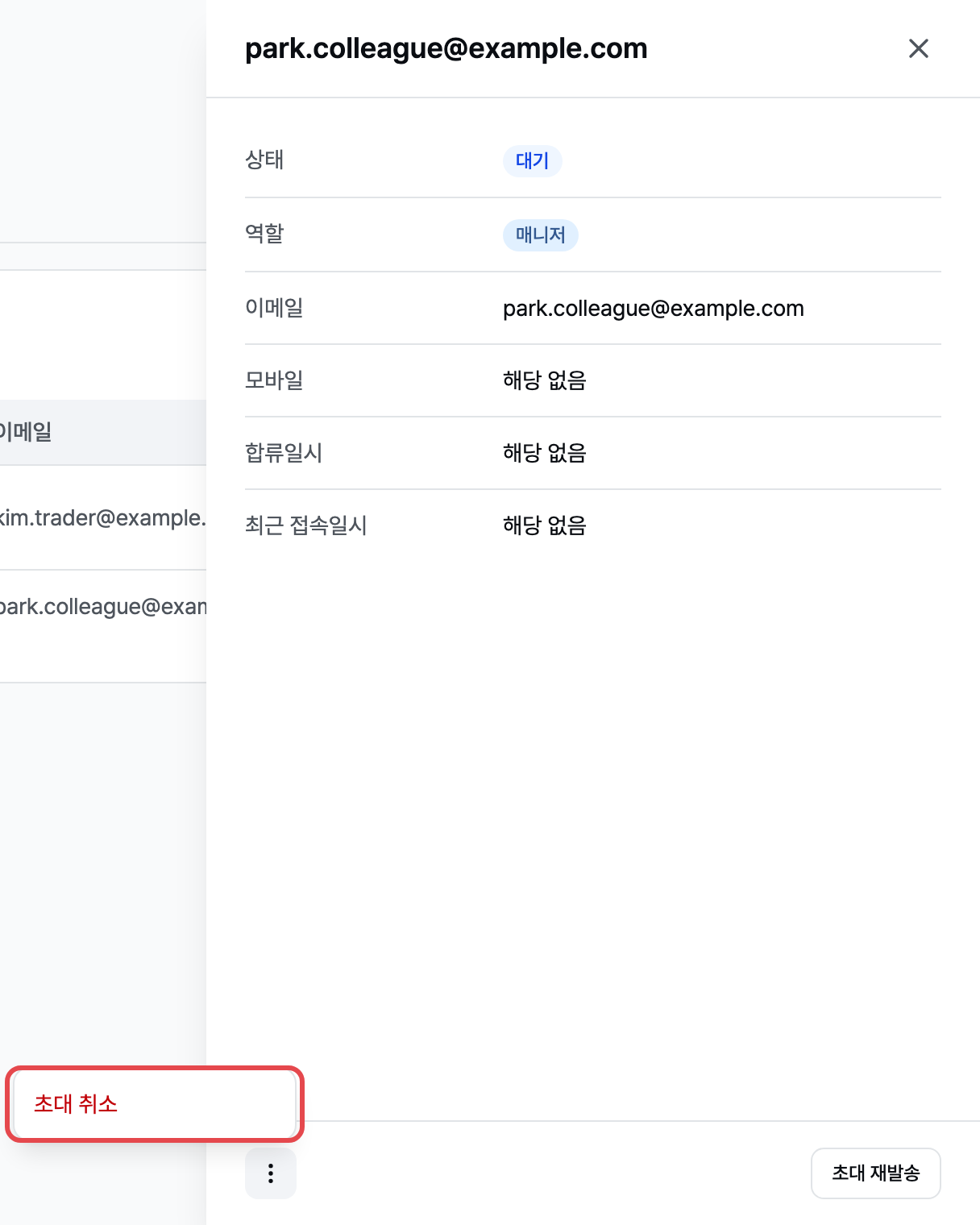
Click the “Pending” row.
Click the three-dot button (⋮) at the bottom of the window and select “Cancel invitation.”
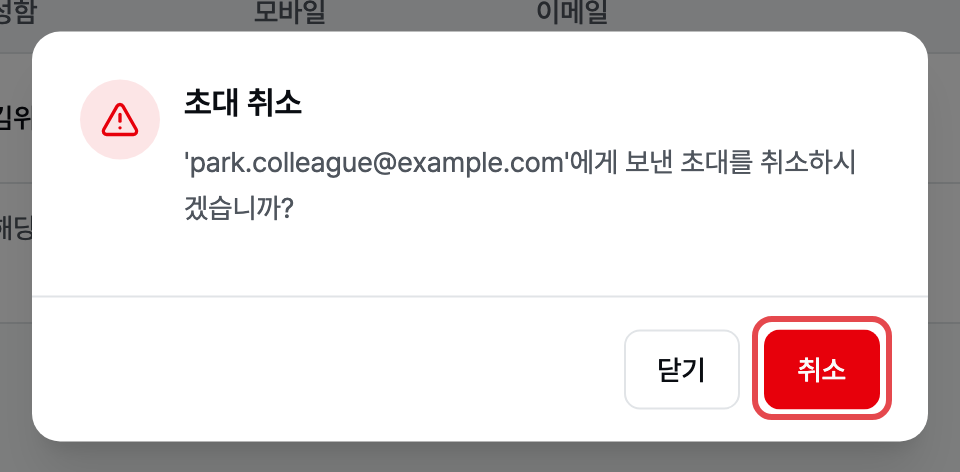
In the confirmation window, click the red “Cancel” button. To stop without canceling the invitation, click “Close.”
“The invitation has been canceled.” appears, and the row changes to “Canceled.”

Resend canceled, expired, or declined invitations
Click the “Canceled,” “Expired,” or “Declined” row, then click “Invite again.”
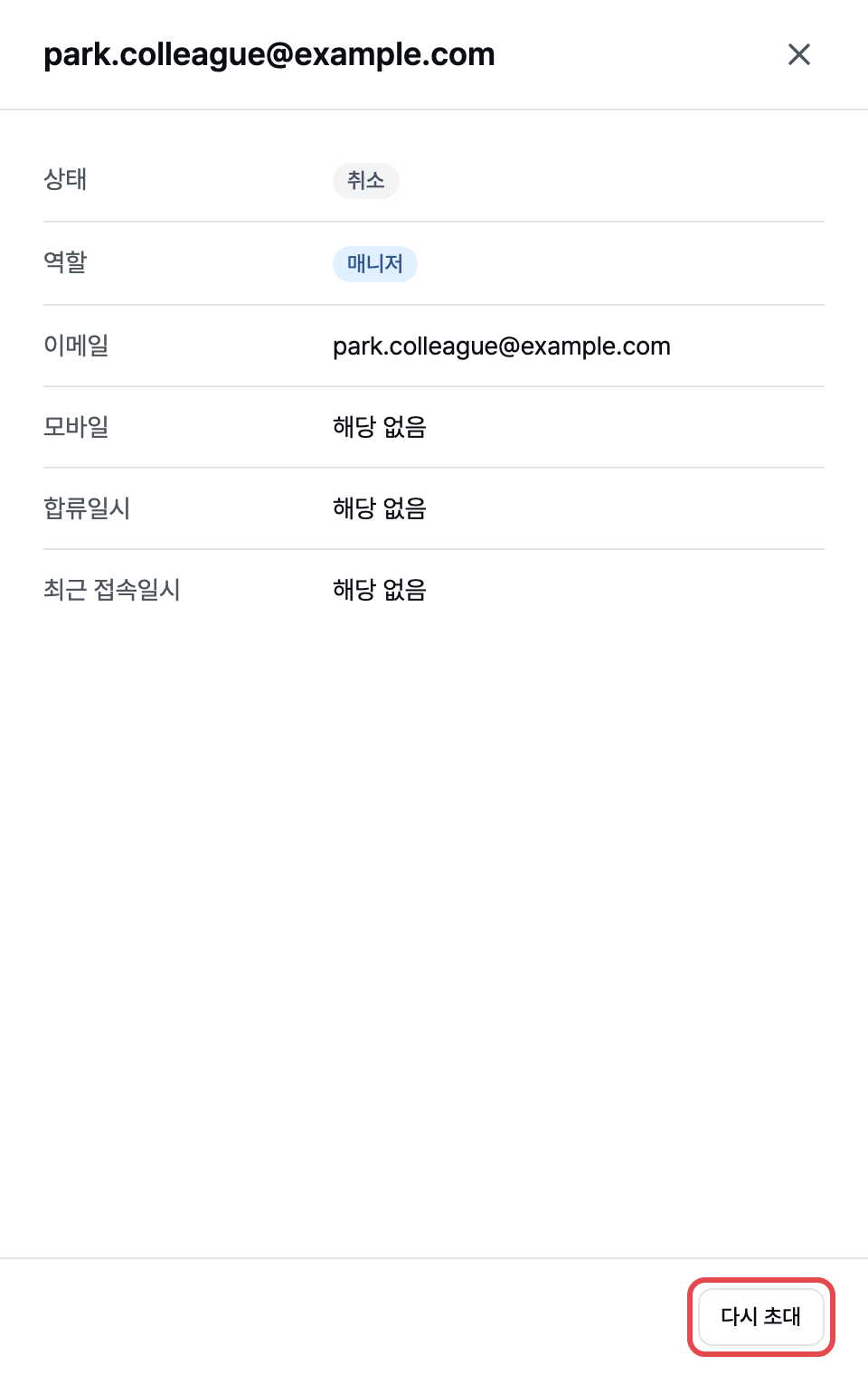
An invitation window with the email address filled in opens. Click “Send invitation.”
Frequently asked questions
“Resend invitation” and “Cancel invitation” aren’t visible.
Only the person who sent the invitation can resend or cancel it. If the sender has left the team, the master or director can do so instead. On a computer, hover over the “Pending” status to see who sent it. Ask that person to do it.
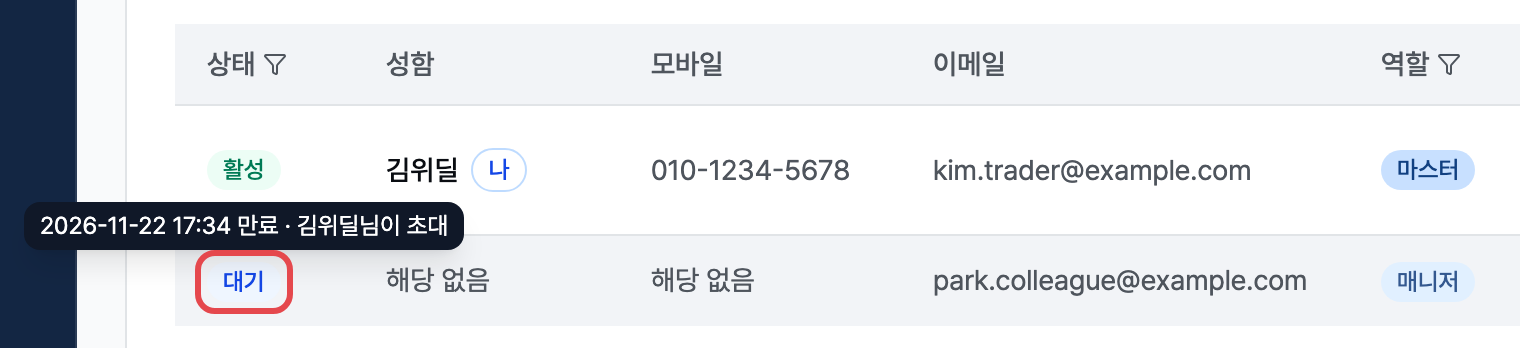
Can I find out when an invitation expires?
On a computer, hover over the “Pending” status to see the expiration time. If you click “Resend invitation” before it expires, the invitation is valid for another 72 hours from that point.
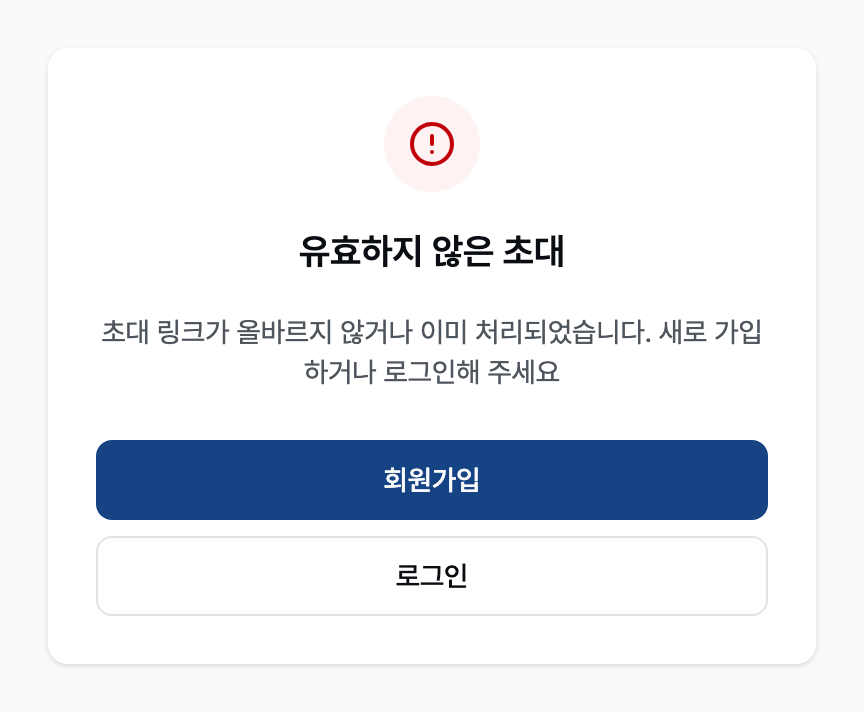
What happens if a colleague clicks the email link after the invitation is canceled?
The “Invalid invitation” screen appears. The colleague cannot join using that invitation.
Can expired invitations also be resent?
There is no “Resend invitation” option on the “Expired” row. Send a new invitation using “Invite again,” as described above in “Resend canceled, expired, or declined invitations.”