[My Account] Log out of all devices
Automatically translated from Korean.
What you can do
You can log out of all devices signed in to this account at once.
Use this when you lose your phone or laptop. You can also use it when you forget to log out on someone else's computer.
You can also see the type of device you are currently using and the time it connected.
Steps
Bottom left, your name → 「My Account」 → open the 「Devices & Sessions」 tab. On a phone, tap ☰ → the row with your name at the top of the menu → the 「Devices & Sessions」 tab.
Under 「Current session」, check the device you are currently using and the connection time.
Under 「Log out of all devices」, tap 「Log out now」. You will be logged out immediately without a confirmation window.
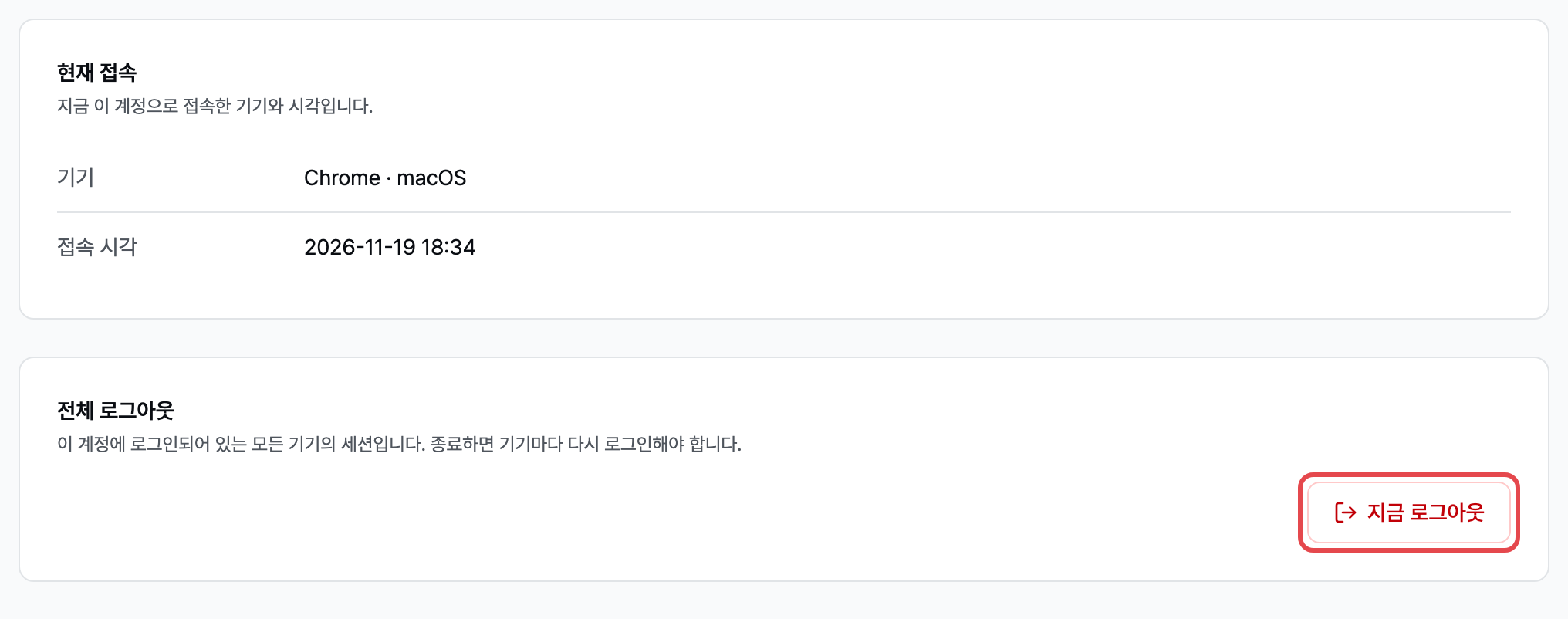
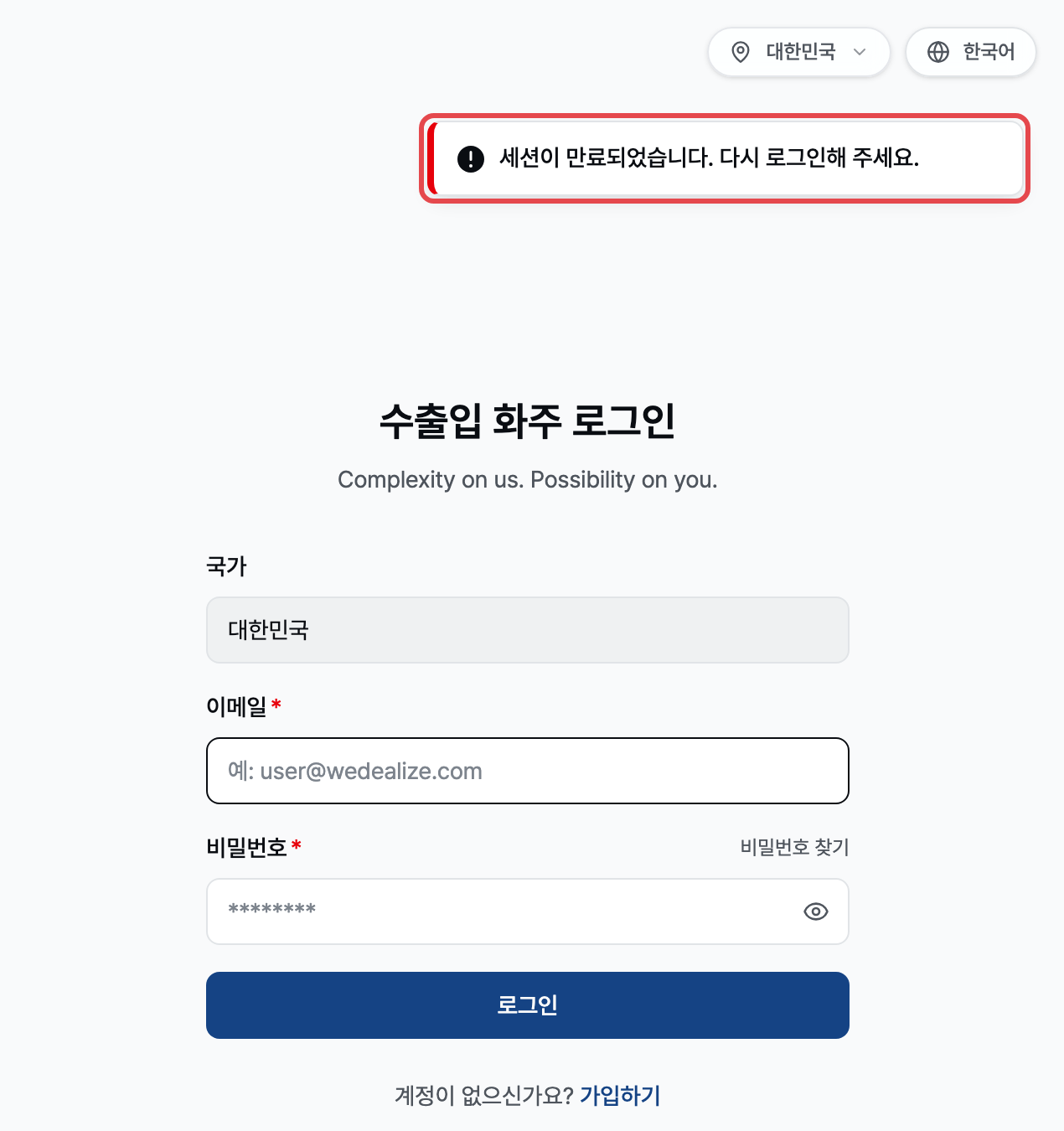
The device you are currently using will immediately switch to the login screen. On other devices, 「Your session has expired. Please log in again.」 will appear the next time the screen is opened.
Frequently asked questions
How is this different from 「Log out」 in the bottom-left menu?
「Log out」 in the bottom-left menu logs you out only on the device you are currently using. 「Log out now」 logs you out on all devices.
I think someone else knows my password
「Log out now」 alone cannot prevent this. That person may be able to log in again. Change your password. Changing your password logs out all devices as well. See the article 「[My Account] Change your password」.
Can't I see the list of other devices?
No. You can only see the device you are currently using.