[My Account] Reduce or turn off shipment notification emails
Automatically translated from Korean.
What you can do
You can choose how many emails to receive for each shipment request when the shipment or customs clearance stage changes.
You can also choose whether to receive Community notification emails (replies to your questions, mentions, etc.).
These settings apply only to your account.
How to change the settings
Click your name at the bottom left → open 「My Account」 → the 「Notifications」 tab. On mobile, tap ☰ → the row with your name at the top of the menu → the 「Notifications」 tab.
Under 「Shipment status changes」, choose one of the four options.
Option | Emails received |
|---|---|
All stages | All 32 shipment and customs clearance stages |
Key stages | Only the 12 predefined key stages |
None | None |
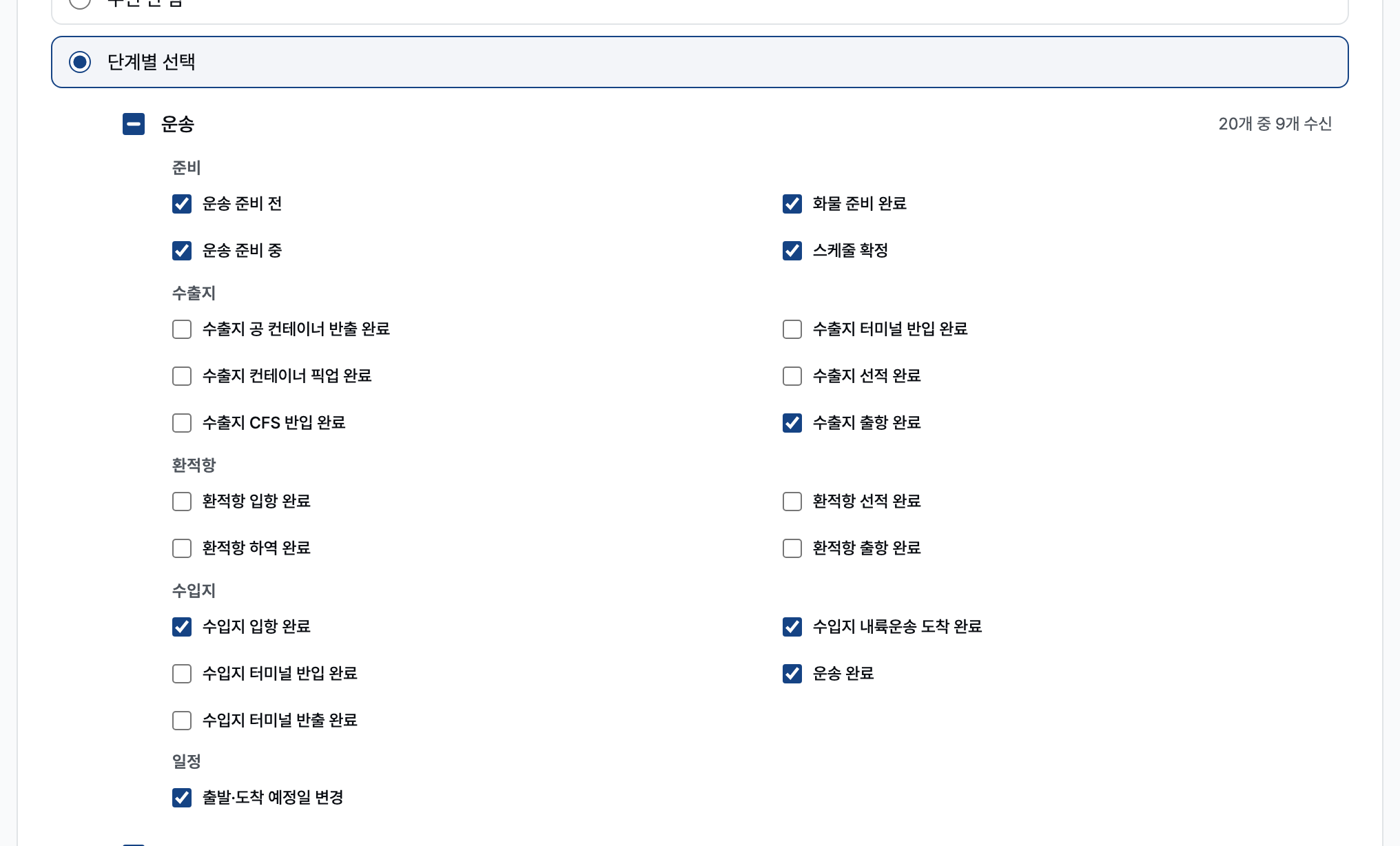
Select by stage | Only the stages you select |
After making a selection, a 「Save」 bar appears at the bottom of the screen. Click 「Save」.
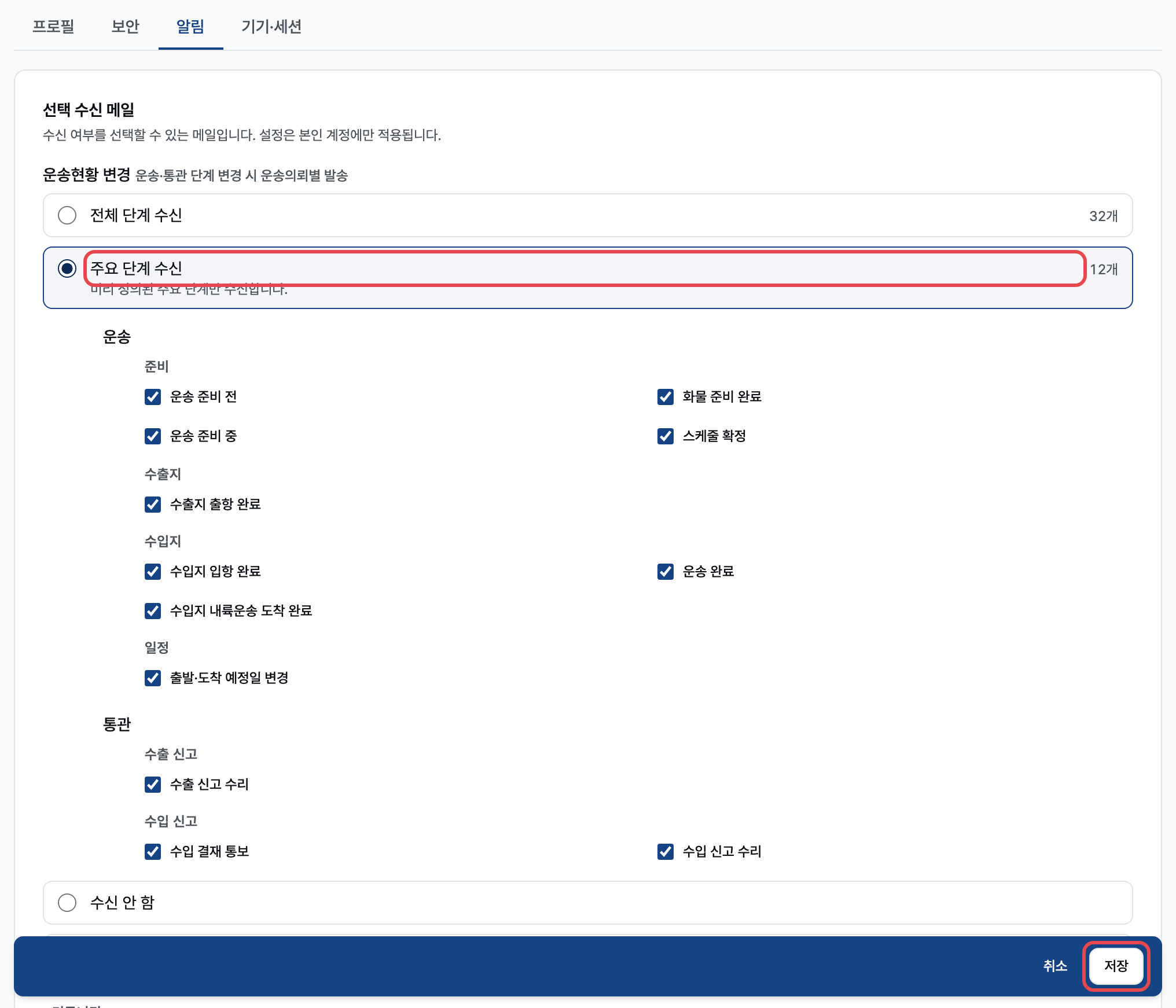
「Notification settings saved.」 appears.

When you select 「Select by stage」, the 20 shipment stages and 12 customs clearance stages expand. Check the stages for which you want to receive emails, then save.
For Community notifications, check the emails you want to receive under 「Community」 and uncheck those you do not want to receive. You must also click 「Save」 for these changes to take effect.
Frequently asked questions
I'm receiving too many emails
Select 「Key stages」 to receive emails only for key stages such as shipment preparation, departure, arrival, shipment completed, and customs clearance approval.
Are there emails that cannot be turned off?
Yes. 「Required emails」 cannot be turned off. These include login verification, member invitations, payments, notices, and terms changes. They also include purchase orders, remittances, import/export shipment, and fulfillment status emails. Status emails are sent to all team members in the workspace at scheduled times.
Does this apply to team members too?
It applies only to your account. Team members must configure their own settings.