[Company Information] Registering Company Information
Automatically translated from Korean.
What you can do
You can register your company name, business type and business registration number, address, main phone number, and tax invoice email address.
The registered company information is included on quotations and tax invoices.
Company information can be edited by the Master and Director.
Steps
Open the 「Workspace」 → 「Settings」 → 「Company Information」 tab from the left menu. On mobile, tap ☰ → 「Workspace Settings」, then open the same tab.
Check the company name (Korean and English). Initially, the company name you entered when signing up is filled in.
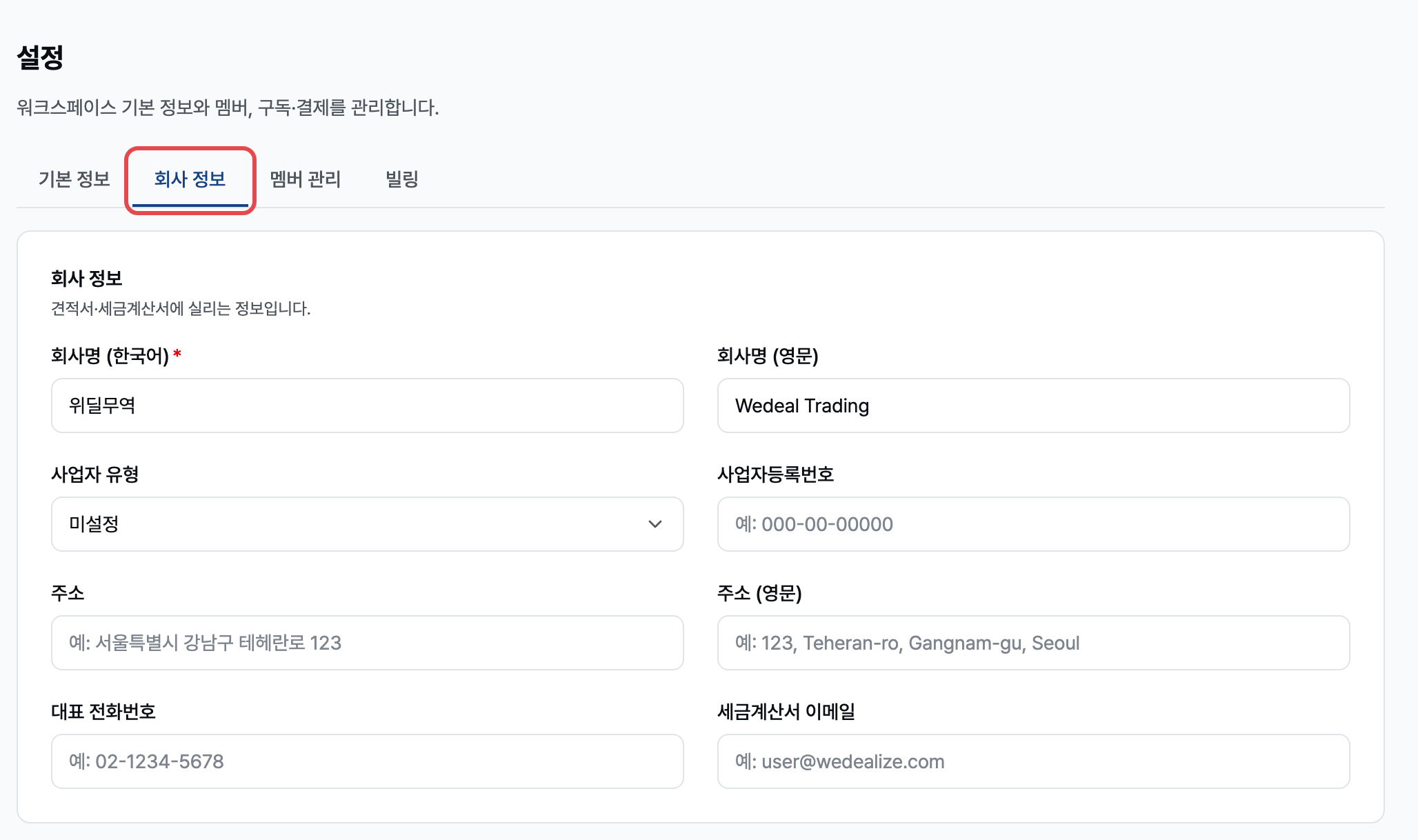
Select the business type (corporate or individual) and enter the business registration number. If you enter numbers only, they are automatically formatted as 「000-00-00000」.
Enter the address (Korean and English), main phone number, and the email address for receiving tax invoices.
Click 「Save」 at the bottom of the screen.
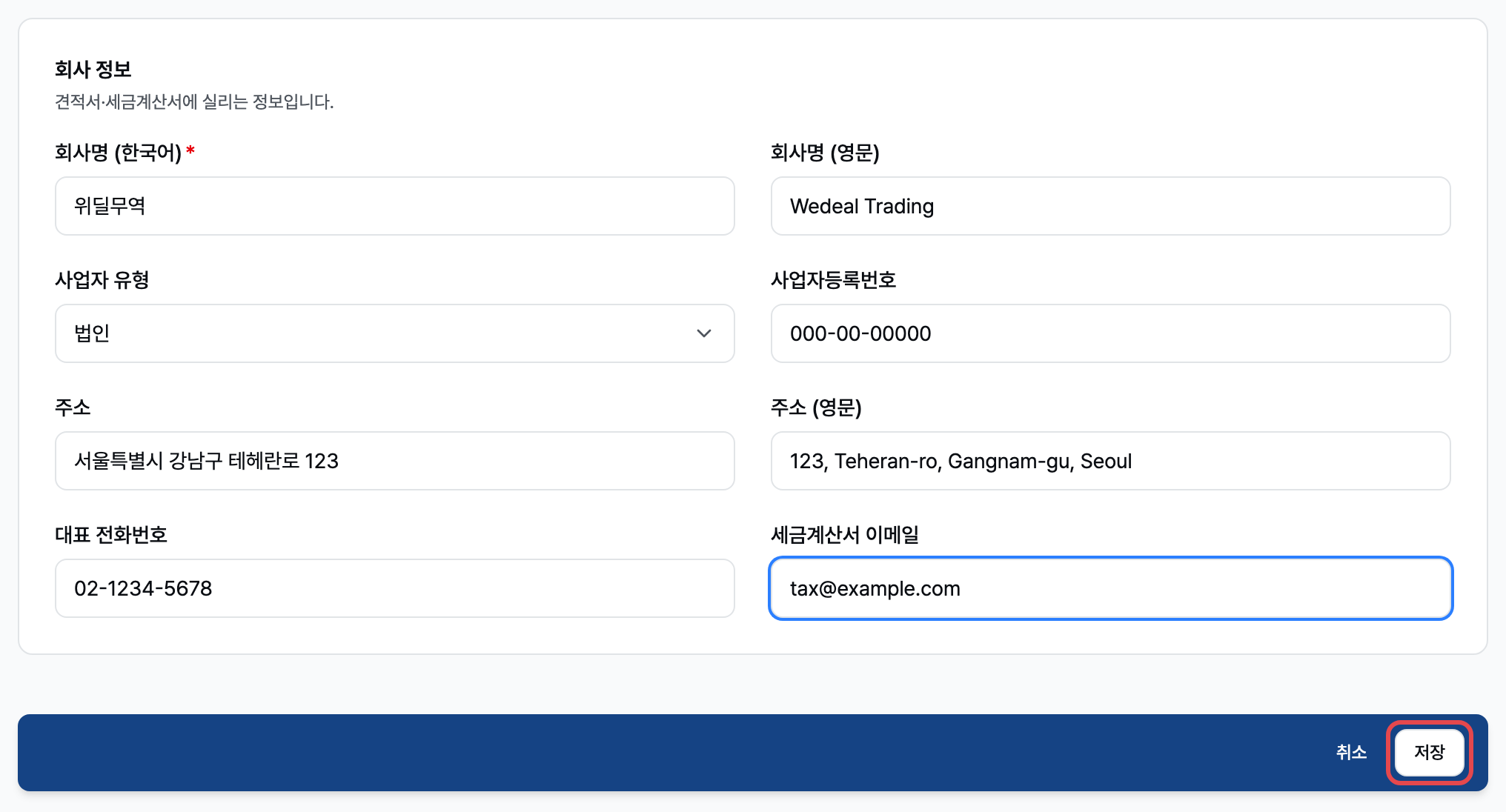
「Company information has been saved.」 appears.

Frequently asked questions
It says 「This is not a valid business registration number」
Check the 10-digit business registration number again. It cannot be saved if even one digit is incorrect.
The field is gray, so I can't edit it
Managers cannot edit company information. Ask the Master or Director to do it.
Where is the English company name used?
An English company name is required to connect a logistics center. Both the Korean and English company names must be entered, and each must be 36 characters or fewer to connect. It is also used as the sender's name when shipping goods and as the English business name for foreign currency remittances. Only English letters, numbers, spaces, and the symbols 「. , & - ' ( ) /」 can be used.
Is it different from the company name in my profile?
Yes, it is different. The company information here belongs to this workspace. You can edit the company name in your profile in the 「[My Account] Edit Profile」 post.